

Circular Summary Block Thumbnails
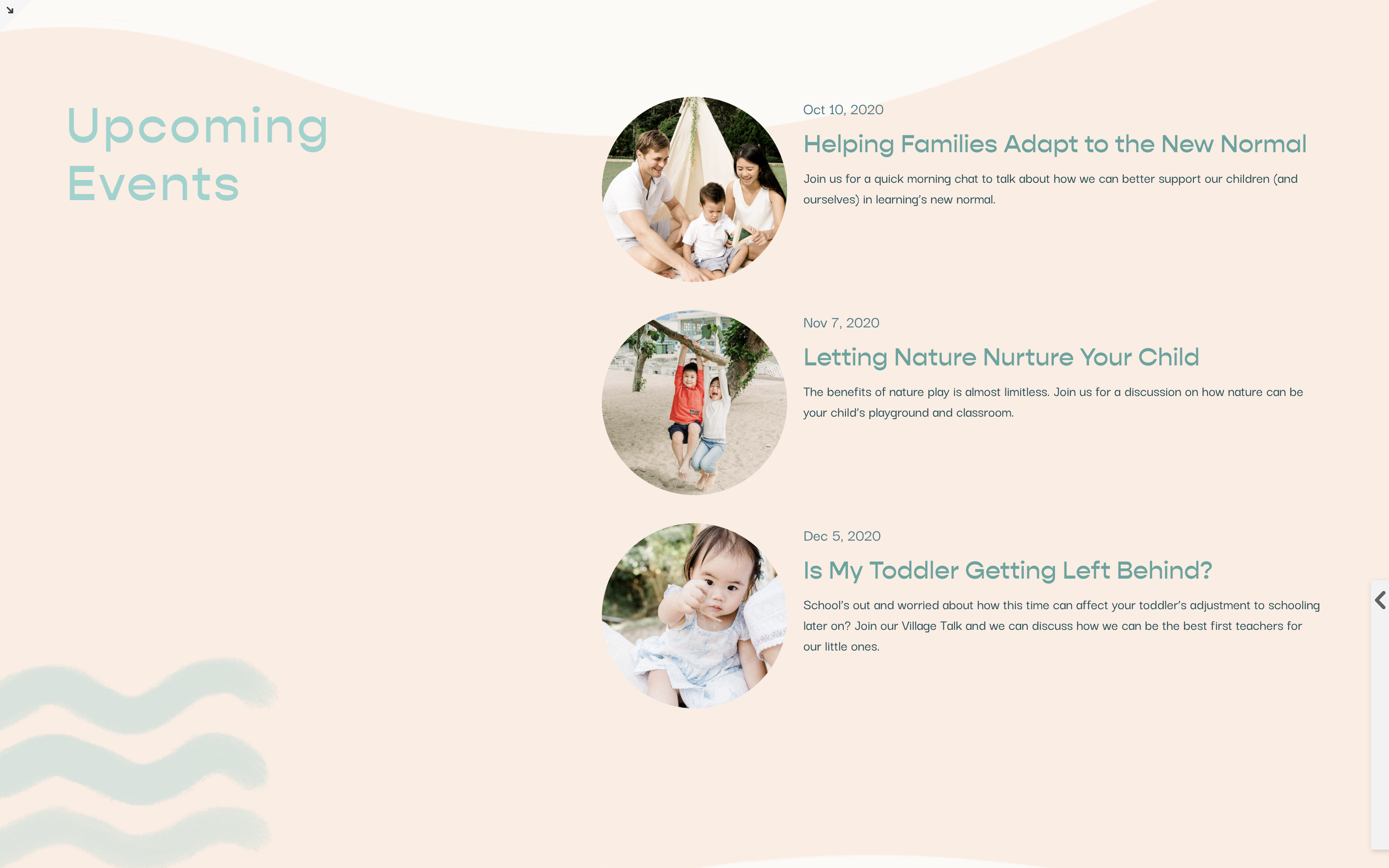
What You'll Create
Transform the rectangular thumbnail images in Summary Blocks into perfect circles. This simple CSS technique adds a softer, more approachable aesthetic to your blog posts, team pages, or any content using Summary Blocks.
The Problem It Solves
Squarespace Summary Blocks display thumbnails as rectangles or squares. If you want circular images — common for team member photos, testimonials, or creating a friendlier visual style — there's no built-in option. This CSS border-radius technique gives you perfectly round thumbnails.
Perfect For
Team member displays, Testimonial sections, Blog post previews, Author bios, Service showcases with headshots
What Makes This Different
This is a beginner-friendly, single-line CSS solution using border-radius. Target specific sections using section IDs so you can have circular thumbnails in some areas while keeping standard shapes elsewhere on your site.
Details
Section Type: Classic
Code Type: CSS
Prerequisites: Summary Block with thumbnail images, Section ID
Toolkit Title: Circular Summary Block
Learn This Technique
This is one of 150+ code techniques taught inside Standout Squarespace, where you get:
The complete, copy-paste code
Video walkthrough explaining how it works
The principles behind the technique so you can customize it
Access to our private community for support