

Custom Carousel Arrow Icons
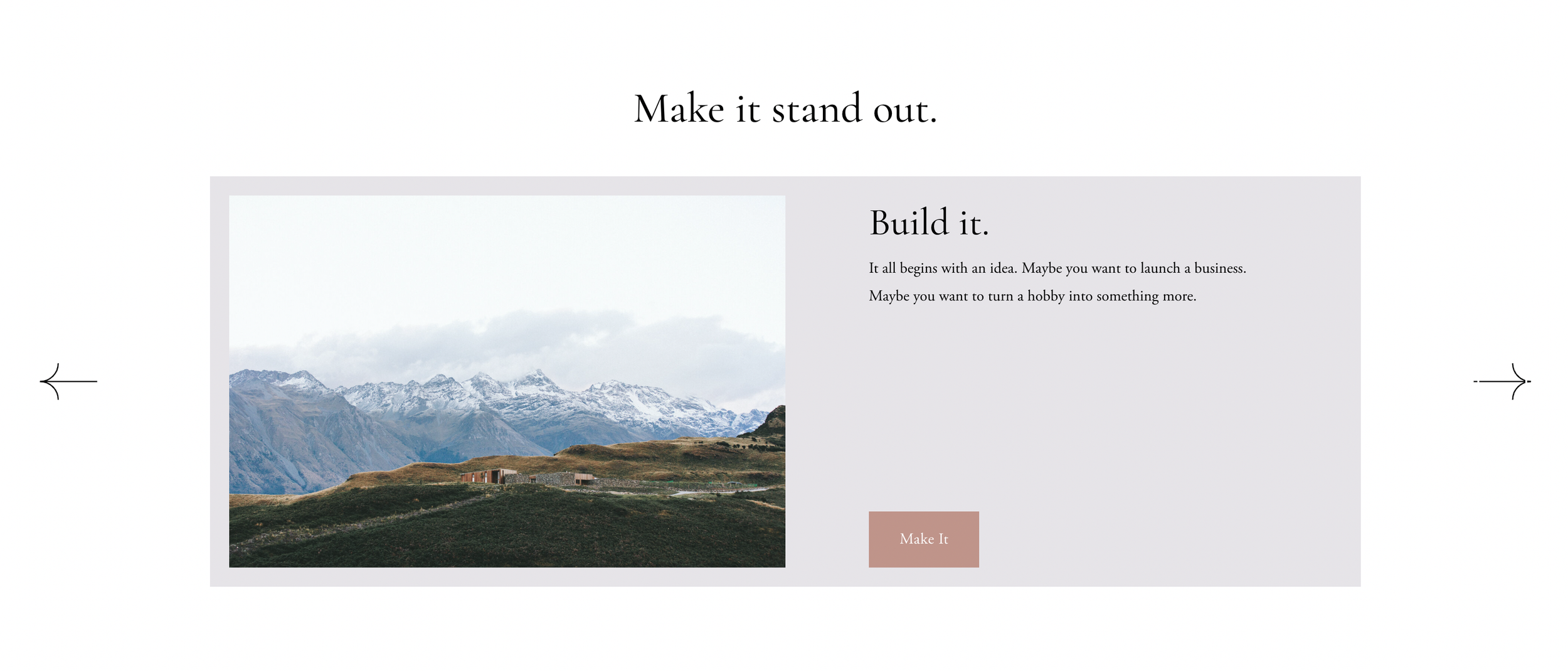
What You'll Create
Custom arrow icons for List Section carousels using CSS pseudo-elements to replace the default Squarespace arrows.
The Problem It Solves
Default carousel arrows are generic and don't match custom brand aesthetics. This technique replaces them with custom SVG icons.
Perfect For
Testimonial sliders, Featured content carousels, Product showcases, Team member sliders, Portfolio carousels.
What Makes This Different
CSS pseudo-elements with background-image properties replace default arrow SVGs while maintaining button functionality and accessibility.
Details
Section Type: Fluid Engine
Code Type: CSS
Prerequisites: List Section set to Carousel layout
Toolkit Title: Carousel List Section Arrow
Learn This Technique
This is one of 150+ code techniques taught inside Standout Squarespace, where you get:
The complete, copy-paste code
Video walkthrough explaining how it works
The principles behind the technique so you can customize it
Access to our private community for support