

FAQ Reveal Side-by-Side
What You'll Create
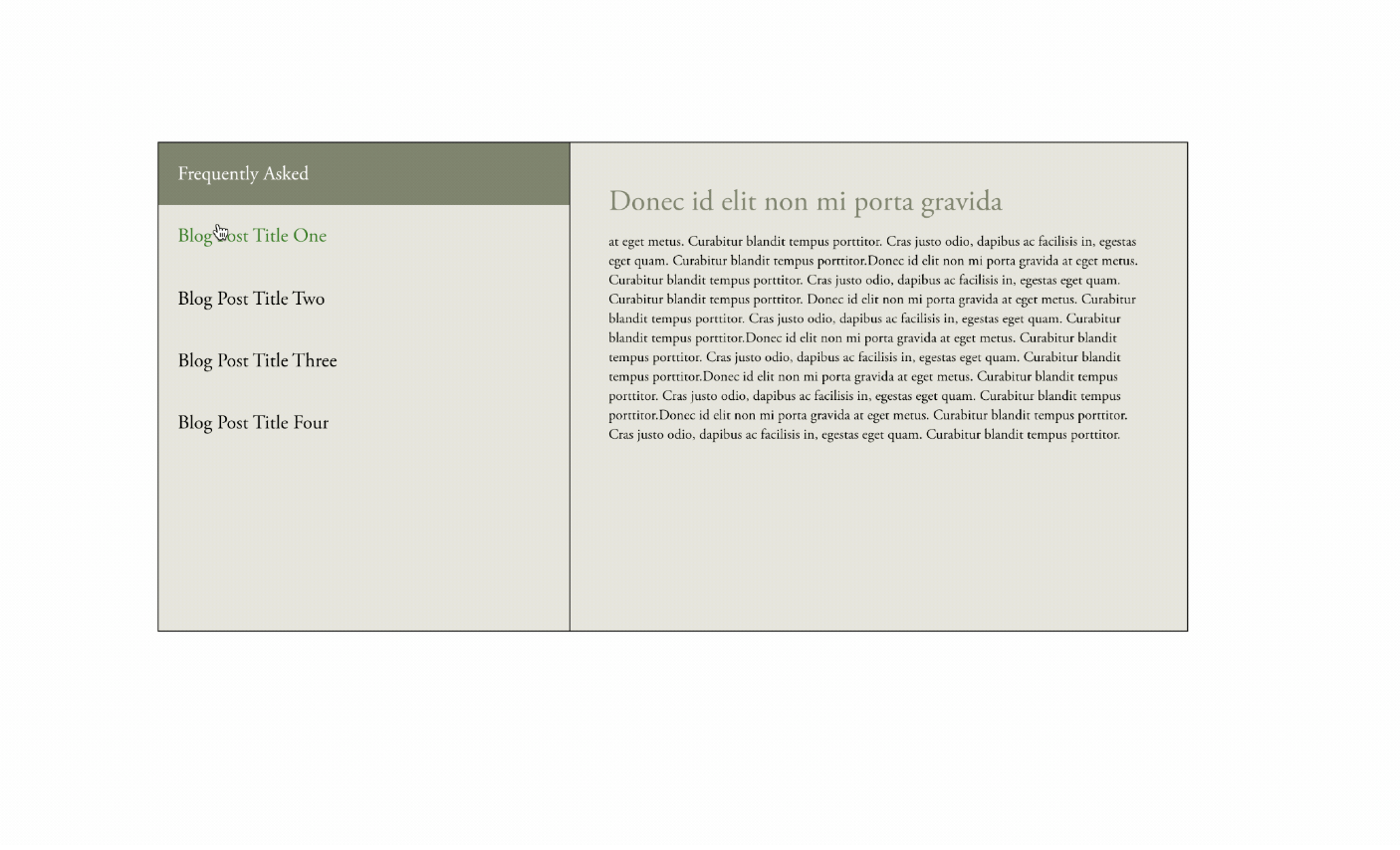
An interactive FAQ section where questions appear on the left and answers reveal on the right when clicked. The active question gets highlighted while its corresponding answer smoothly appears, creating a clean two-column Q&A experience.
The Problem It Solves
Squarespace's Accordion block stacks questions and answers vertically, which can feel cramped and make it hard to scan multiple questions. This side-by-side layout gives answers more room to breathe and creates a more engaging, magazine-style FAQ presentation.
Perfect For
Service FAQ pages, Product question sections, About page Q&As, Support documentation, Interview-style content.
What Makes This Different
The layout uses Squarespace's Summary Block to pull questions and answers from a blog collection, making it easy to add, edit, and reorder FAQ items through the normal Squarespace interface. Clicking a question reveals its answer on the right side while dimming other questions, creating clear visual hierarchy. The first question opens automatically so visitors don't land on a blank answer area.
Details
Section Type: Fluid & Classic
Code Type: CSS + JavaScript
Prerequisites: Blog collection with 'faq' in URL slug, Summary Block displaying that collection, jQuery library
Toolkit Title: FAQ Reveal
Learn This Technique
This is one of 150+ code techniques taught inside Standout Squarespace, where you get:
The complete, copy-paste code
Video walkthrough explaining how it works
The principles behind the technique so you can customize it
Access to our private community for support