

Image Offset Border Effect
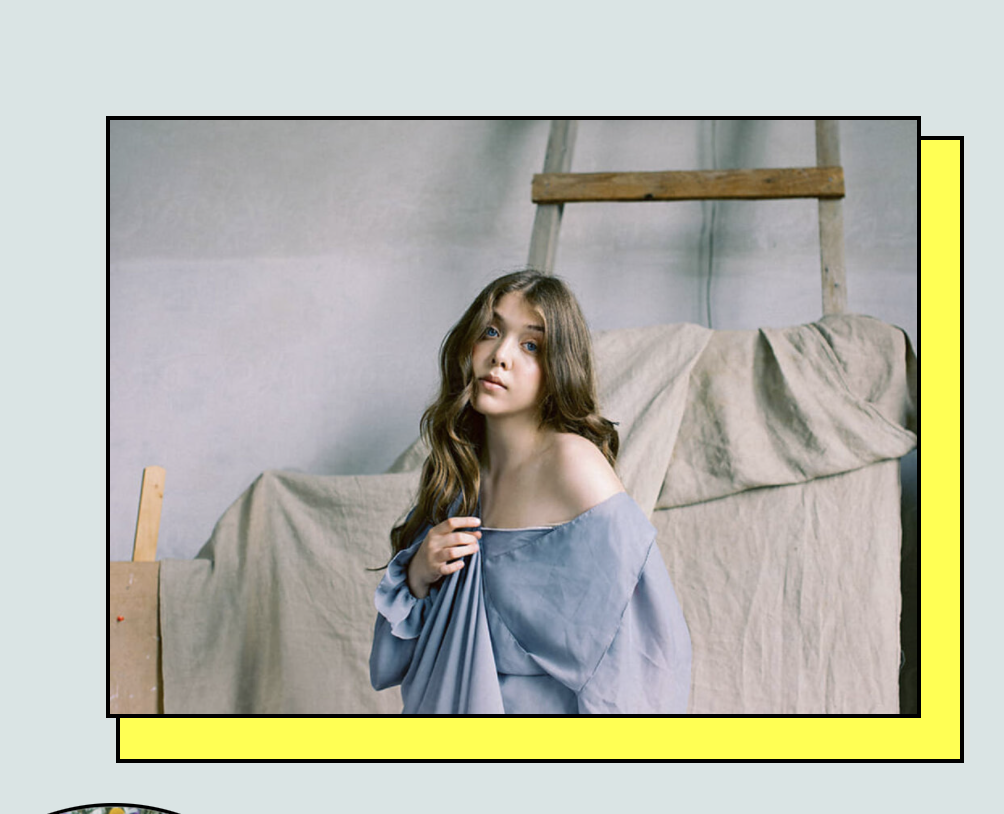
What You'll Create
Decorative offset borders behind images using CSS pseudo-elements. Creates a layered effect where a colored shape sits behind the image, offset slightly to create depth and visual interest.
The Problem It Solves
Plain images can feel flat on a page. This technique adds dimension and personality by creating a shadow-like decorative element behind images, making them pop without requiring custom graphics or Photoshop editing.
Perfect For
Portfolio showcases, About page photos, Team member images, Product highlights, Feature sections, Landing pages.
What Makes This Different
Creates a colored shape positioned behind the image. URL keyword targeting allows you to apply the effect selectively to specific images. The decorative border extends beyond the image bounds for maximum impact.
Details
Section Type: Fluid & Classic
Code Type: CSS
Prerequisites: Understanding of pseudo-elements and URL-based targeting
Toolkit Title: Image Pseudo-Borders
Learn This Technique
This is one of 150+ code techniques taught inside Standout Squarespace, where you get:
The complete, copy-paste code
Video walkthrough explaining how it works
The principles behind the technique so you can customize it
Access to our private community for support