

Inline Text and Images Layout
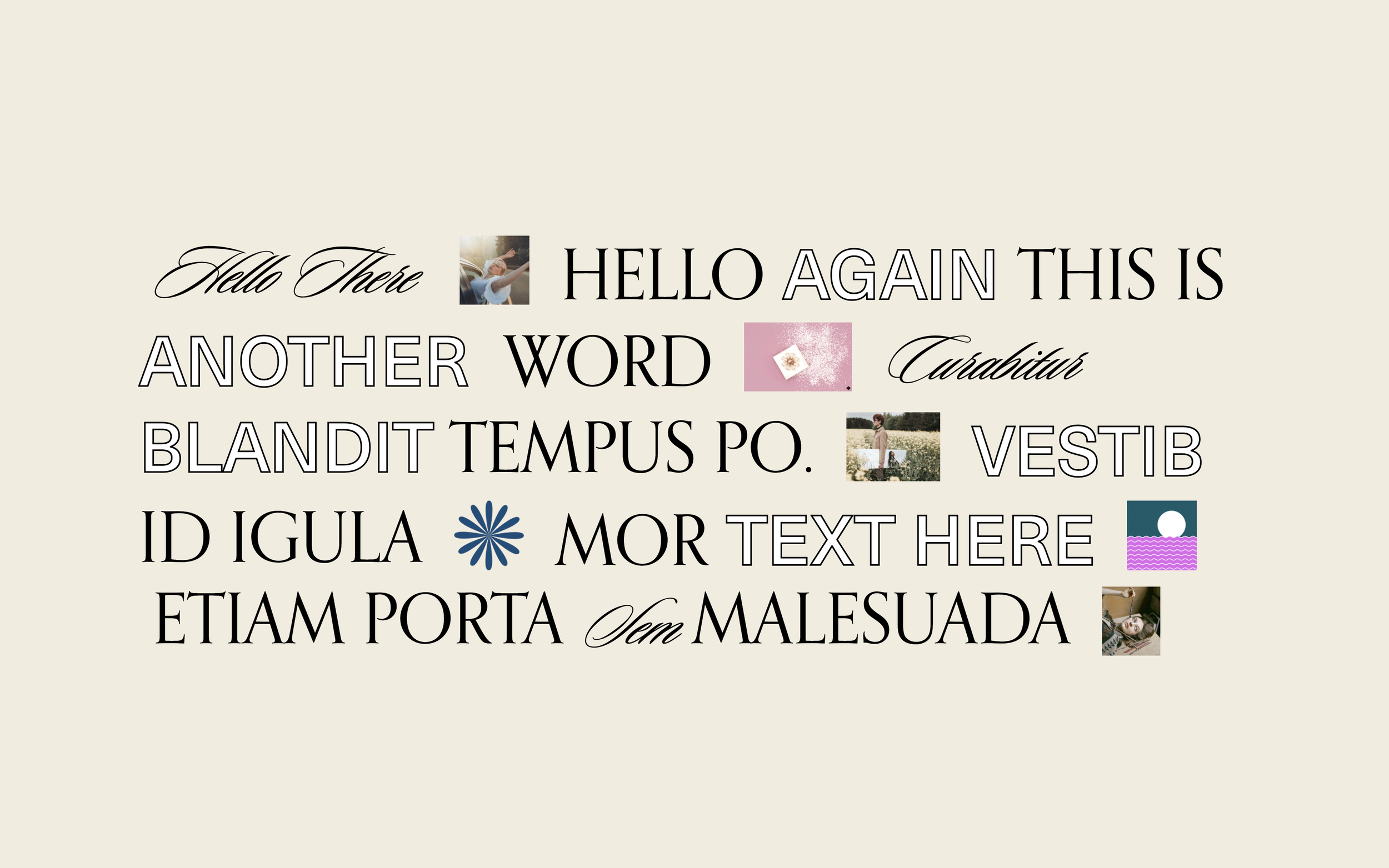
What You'll Create
A layout where text and images flow together on the same line, creating expressive headlines that mix typography with visual elements. Words wrap around images naturally, breaking the typical stacked block structure.
The Problem It Solves
Squarespace blocks stack vertically by default. If you want an image to sit inline with your text (like in magazine layouts), there's no native way to do it. This technique transforms your blocks to flow together horizontally.
Perfect For
Hero headlines, Creative headers, Editorial layouts, Brand statements, Portfolio intros
What Makes This Different
This approach converts standard Squarespace blocks from stacking vertically to flowing inline like words in a sentence. Images become part of your text flow, sitting at the same baseline as your typography. The result feels more artistic and editorial than typical web layouts.
Details
Section Type: Classic
Code Type: CSS
Prerequisites: Classic Editor section (not Fluid Engine), Text blocks and image blocks in same section
Toolkit Title: Inline Type & Images
Learn This Technique
This is one of 150+ code techniques taught inside Standout Squarespace, where you get:
The complete, copy-paste code
Video walkthrough explaining how it works
The principles behind the technique so you can customize it
Access to our private community for support