

List to Table Converter
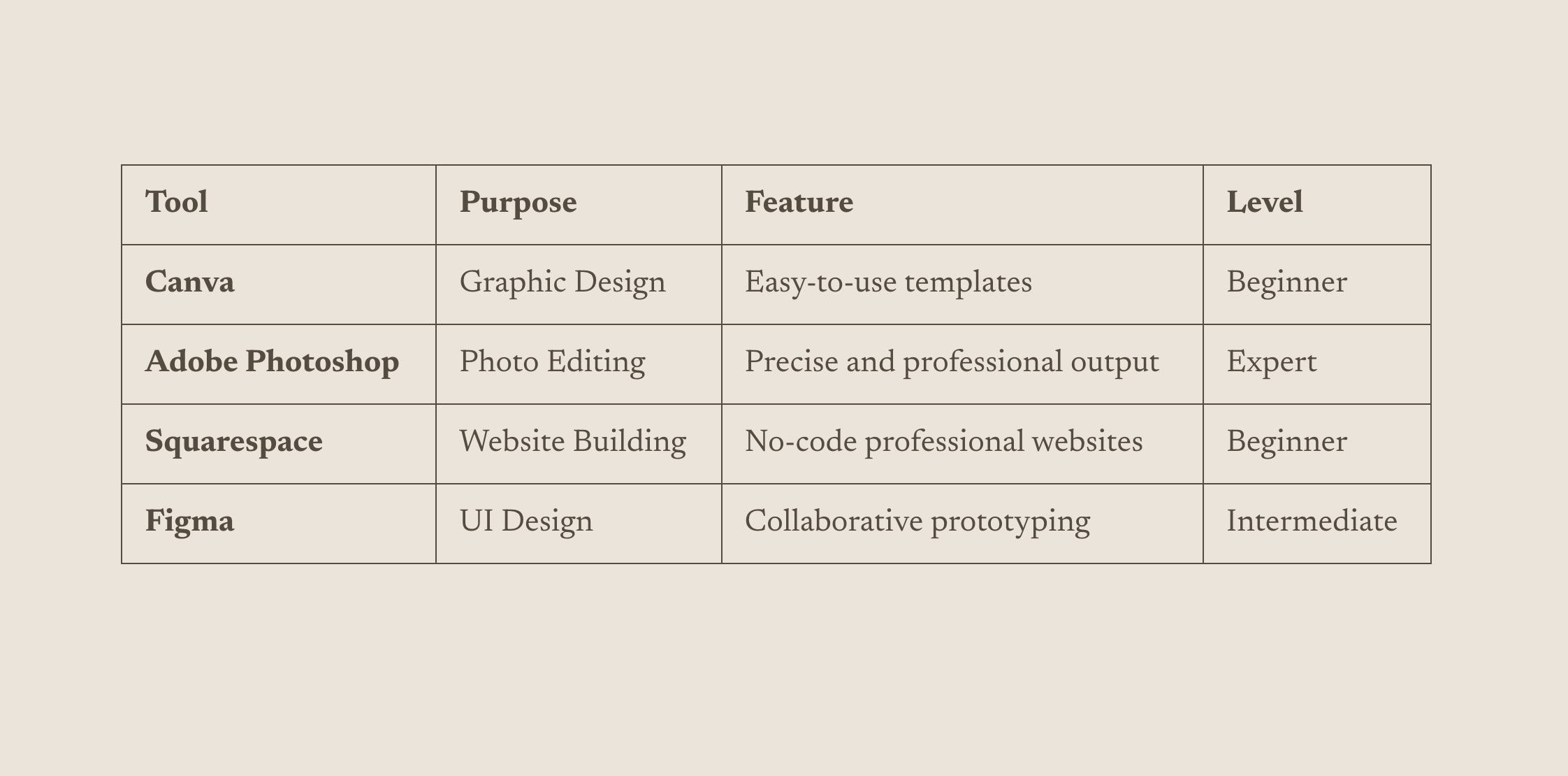
What You'll Create
A clean, responsive table built from a simple bullet list. You format your content as a regular list with items separated by pipes (|), and the technique automatically converts it into a properly structured table with styling.
The Problem It Solves
Squarespace doesn't have a native table block, forcing designers to use workarounds like images of tables or complex code blocks. This technique lets you create and edit tables using familiar list formatting, making updates quick and painless.
Perfect For
Pricing tables, Comparison charts, Feature lists, Schedule displays, Specification sheets
What Makes This Different
Instead of writing HTML table code or embedding external tools, you simply type your content as a bullet list using pipes to separate columns. The first list item needs a link (which acts as the trigger), and the code automatically transforms your list into a beautiful table. Editing is as simple as updating the list text.
Details
Section Type: Classic
Code Type: CSS + JavaScript
Prerequisites: Classic Editor section, Unordered list with pipe-separated values, Link on first list item as trigger
Toolkit Title: Adding Tables to Squarespace
Learn This Technique
This is one of 150+ code techniques taught inside Standout Squarespace, where you get:
The complete, copy-paste code
Video walkthrough explaining how it works
The principles behind the technique so you can customize it
Access to our private community for support