

Gallery Testimonial Slideshow
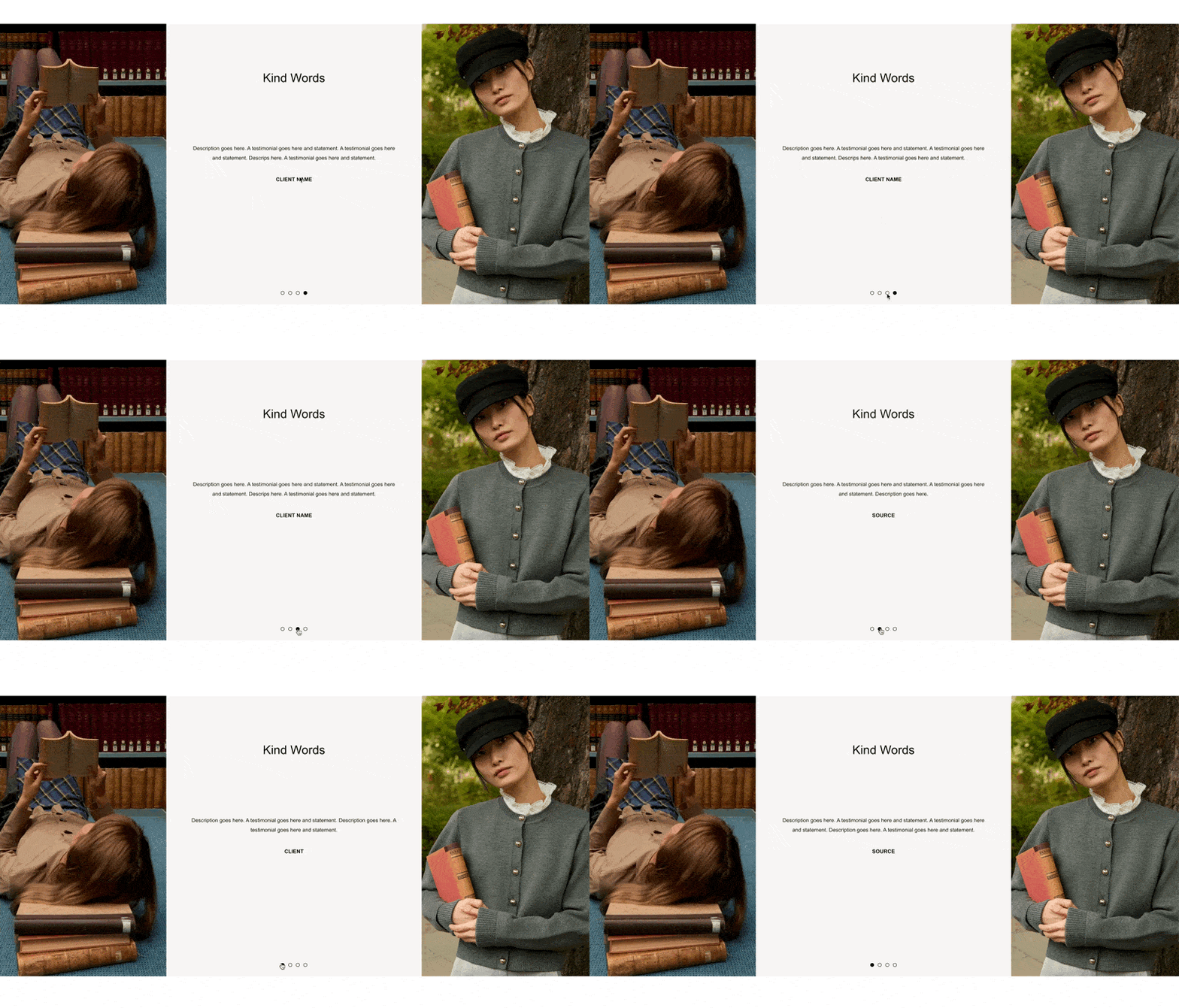
What You'll Create
A Squarespace gallery slideshow repurposed as a testimonial carousel — the slideshow images are hidden and replaced with centered caption text on a custom background (default #F7F6F4), flanked by two full-height decorative images. A "Kind Words" title floats above the caption area, and source attribution text is styled below each quote. The gallery maxes out at 675px and auto-centers within the section.
The Problem It Solves
Squarespace has no native testimonial carousel. You can use a gallery slideshow for text rotation, but captions sit awkwardly below images and there's no way to add decorative elements or a section title inside the gallery. This technique hides the slideshow images entirely, repositions the captions to fill the full gallery area, and layers in decorative imagery and a title — all with CSS, no plugins or third-party tools.
Perfect For
Client testimonial showcases, Review highlight sections, Kind words or praise displays, About page endorsement carousels, Service page social proof sliders
What Makes This Different
The slideshow images are made invisible so the captions become the star — displayed centered with generous padding inside the gallery. Decorative flanking images are added using CSS-generated elements on either side, each taking up a third of the section width at full height with images that cover the space edge-to-edge. The gallery is constrained to a max-width of 675px and auto-centered. A floating "Kind Words" title is injected above the caption area, positioned 10rem from the top. The source or attribution line uses italic formatting restyled as a block element with a 2rem top margin for clear visual separation. Everything is scoped to sections with an anchor containing 'gallerytestimonial', so it won't affect other galleries on the page.
Details
Section Type: Fluid Engine
Code Type: CSS
Prerequisites: Gallery Section set to Slideshow layout with captions enabled. Section anchor must contain 'gallerytestimonial'. Two decorative image URLs for the flanking elements.
Toolkit Title: Gallery Testimonial Slideshow
Learn This Technique
This is one of 150+ code techniques taught inside Standout Squarespace, where you get:
The complete, copy-paste code
Video walkthrough explaining how it works
The principles behind the technique so you can customize it
Access to our private community for support