

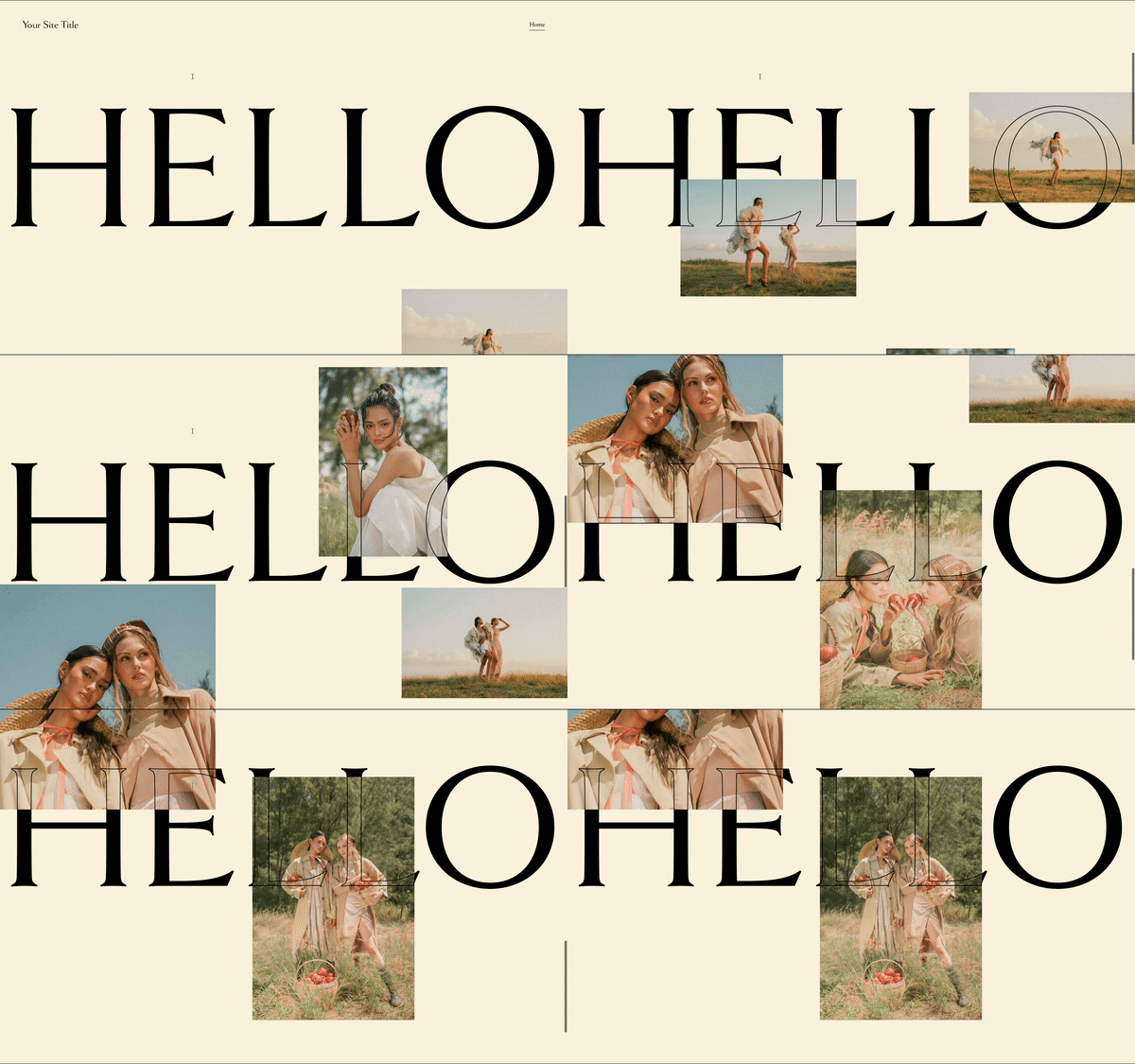
What You'll Create
Create a layered text effect for your Squarespace site where outlined (stroked) text sits on top of solid text, both sticky in the viewport. As images or content scroll between these layers, you see through the outlined text to the content beneath, creating a dynamic knockout effect. The solid text provides the base color while the stroked text creates the transparent window. It's that editorial, high-fashion typography effect.
The Problem It Solves
Squarespace doesn't offer text stroke or knockout effects natively. You want that layered typography where text has visible outlines and content shows through. Creating this effect typically requires image editing or complex SVG work. This technique uses CSS text stroke properties and sticky positioning to achieve the effect with live, editable text.
Perfect For
Creative agency hero sections, Fashion or lifestyle brand headers, Portfolio dramatic typography, Editorial-style page headers, Any design wanting bold typographic statements
What Makes This Different
The technique creates two versions of the same text, stacked at 50% viewport height and staying in place while you scroll. The first block has solid filled text. The second block sits on top with transparent fill and a 2-pixel black stroke outline. As images scroll between these layers, you see the imagery through the outlined letterforms while the solid text shows around it. Both blocks are vertically centered with visual transformations. Pure CSS, no JavaScript needed.
Details
Section Type: Fluid Engine
Code Type: CSS
Prerequisites: Two text blocks with identical content positioned in same section. CSS targeting first and second blocks.
Toolkit Title: See-through Sticky Text
Learn This Technique
This is one of 150+ code techniques taught inside Standout Squarespace, where you get:
The complete, copy-paste code
Video walkthrough explaining how it works
The principles behind the technique so you can customize it
Access to our private community for support