

Summary Carousel Card Backgrounds
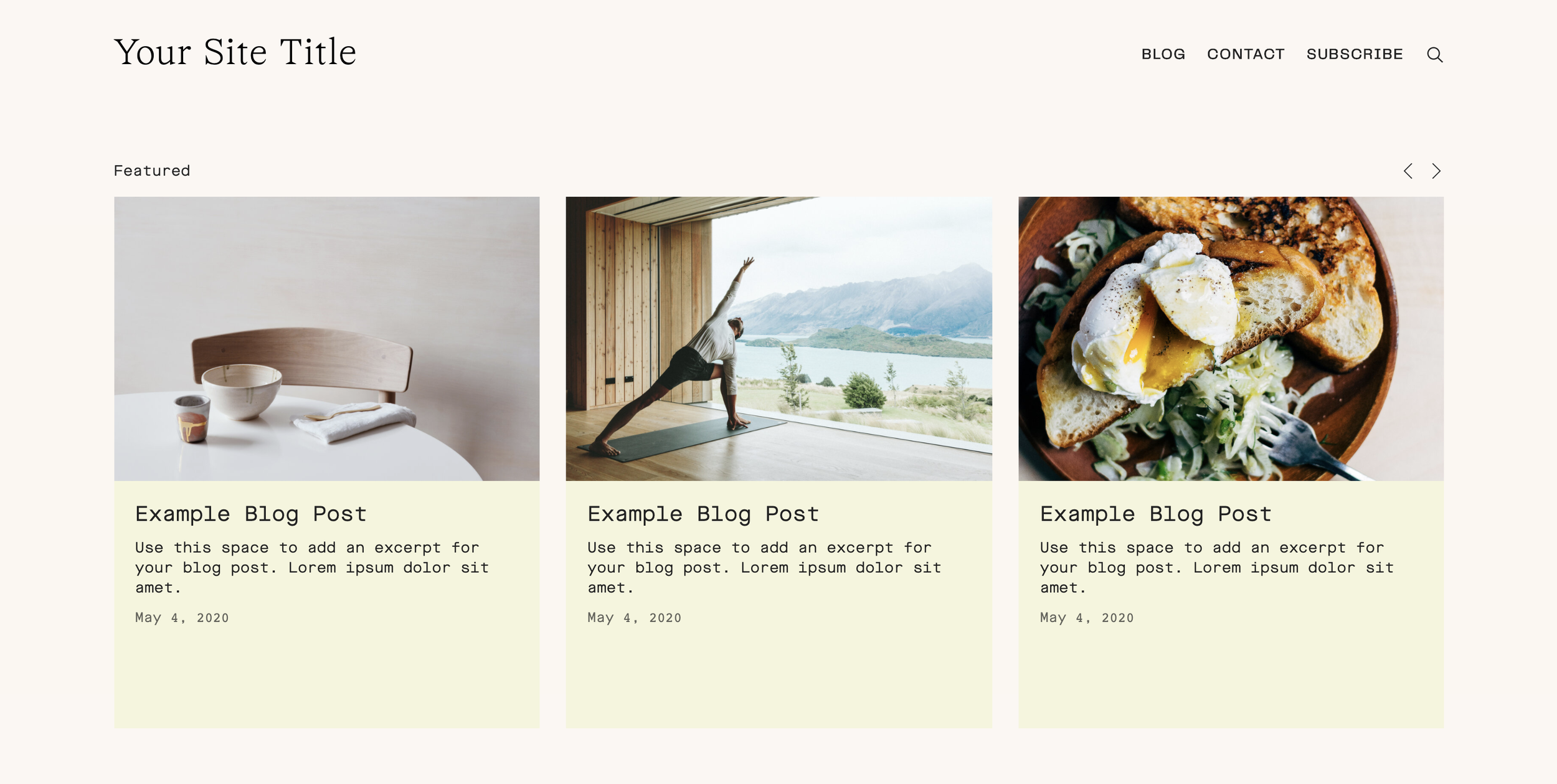
What You'll Create
Summary block carousel slides with colored background panels behind the content area, creating a card-like appearance with visual separation between image and text.
The Problem It Solves
Carousel summary blocks display content floating without clear boundaries. This technique adds background colors to the content section, creating defined cards that feel more polished and structured.
Perfect For
Blog post carousels, Testimonial sliders, Service overviews, Featured content sections, Product highlights.
What Makes This Different
CSS applies background colors to the summary content area and uses flexbox to ensure slides stretch to equal heights. The thumbnail and content sections flow seamlessly while maintaining visual distinction.
Details
Section Type: Classic
Code Type: CSS
Prerequisites: Summary block set to Carousel layout
Toolkit Title: Summary Block Background
Learn This Technique
This is one of 150+ code techniques taught inside Standout Squarespace, where you get:
The complete, copy-paste code
Video walkthrough explaining how it works
The principles behind the technique so you can customize it
Access to our private community for support