

Two-Toned Split Backgrounds
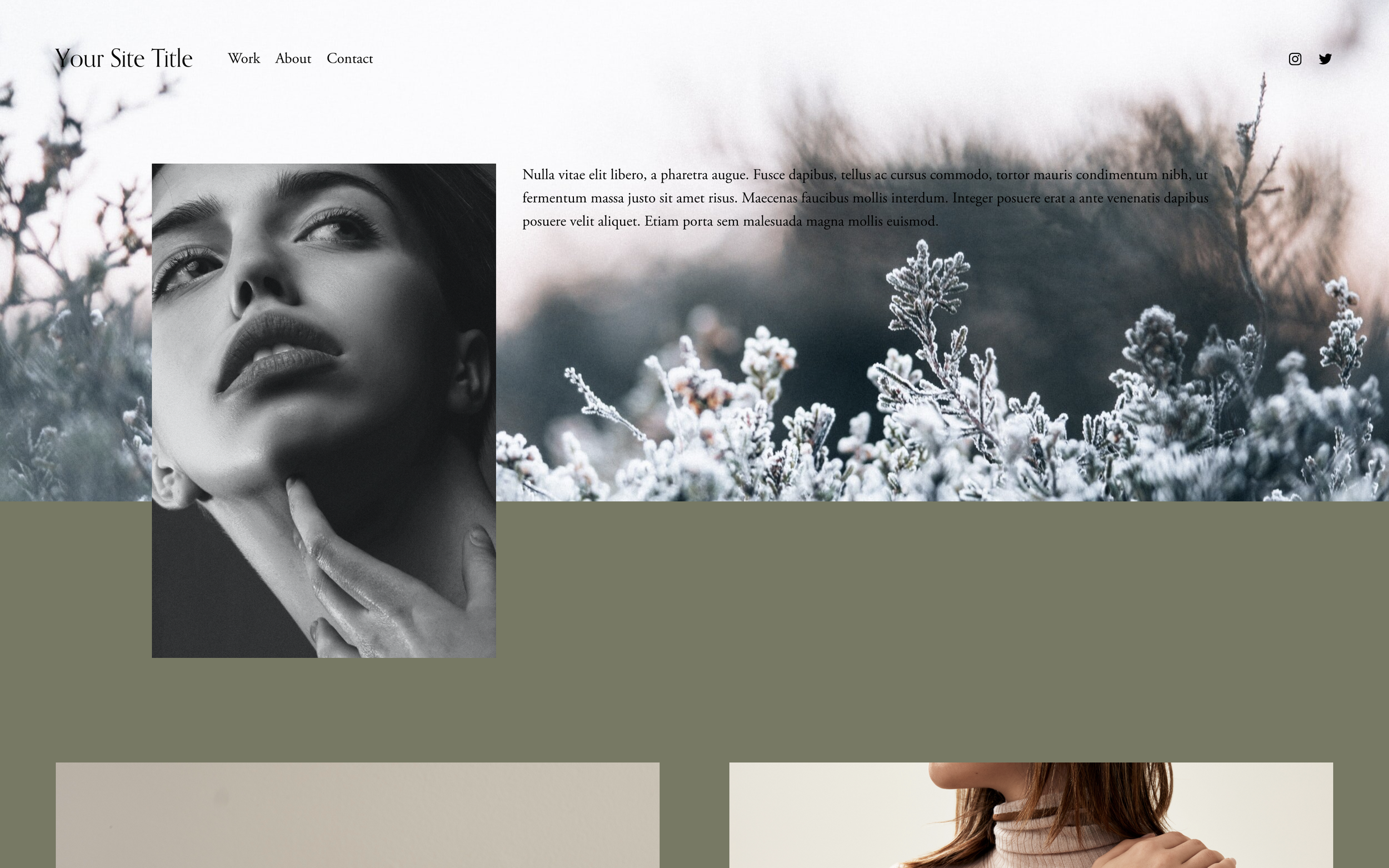
What You'll Create
Section backgrounds split into two distinct colors - either vertically (left/right) or horizontally (top/bottom). Create that sophisticated split-screen aesthetic without needing two separate sections.
The Problem It Solves
Squarespace sections only allow one background color. When you want that modern split-color look - like content on one color with an image bleeding into another - you'd normally need multiple sections carefully positioned. This technique achieves the effect in a single section.
Perfect For
Split-screen layouts, Feature sections, About pages, Product showcases, Modern portfolio designs.
What Makes This Different
Two methods are provided: CSS linear gradients with a hard stop at 50% create instant color transitions, while the pseudo-element method gives more control over proportions and positioning. Both approaches let you customize the split ratio, colors, and direction without affecting your content layout.
Details
Section Type: Fluid & Classic
Code Type: CSS
Prerequisites: Section selector with ID
Toolkit Title: Two-toned backgrounds
Learn This Technique
This is one of 150+ code techniques taught inside Standout Squarespace, where you get:
The complete, copy-paste code
Video walkthrough explaining how it works
The principles behind the technique so you can customize it
Access to our private community for support