

Typography Accent Elements
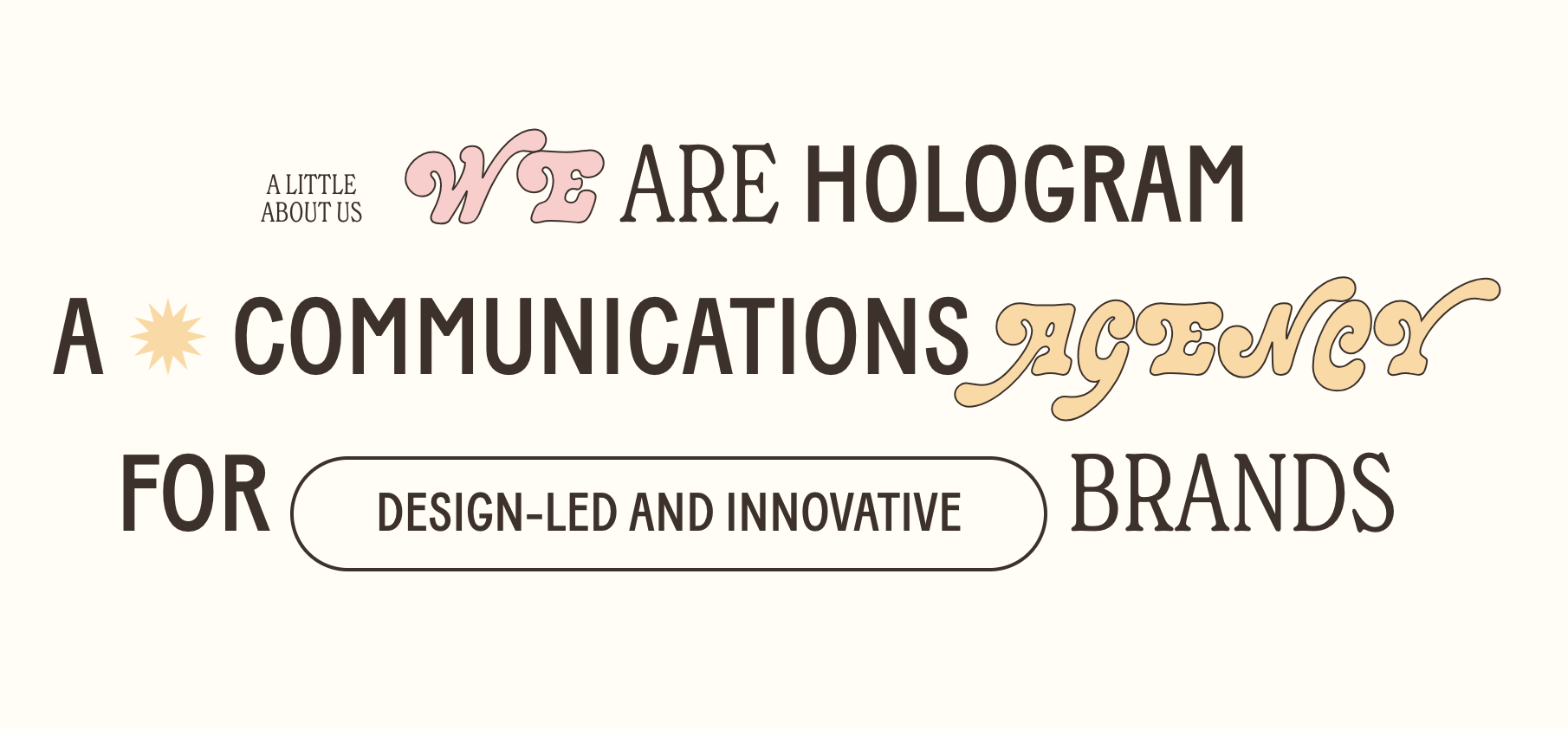
What You'll Create
Decorative text elements like kicker labels and inline buttons that use URL-based targeting. Apply special fonts, borders, and styling to specific text elements without adding custom classes.
The Problem It Solves
Squarespace doesn't let you add custom CSS classes to text. This technique uses link URLs as targeting hooks, allowing you to style specific text elements with decorative treatments like script fonts or pill-shaped button accents within larger headings.
Perfect For
Kicker labels, Inline accent buttons, Decorative headings, Category labels, Section dividers, Brand typography.
What Makes This Different
Targets links containing specific URL keywords (like 'decor-kicker' or 'decor-button'). The links act as styled text, not actual clickable links. This allows unlimited decorative text variations without JavaScript.
Details
Section Type: Fluid & Classic
Code Type: CSS
Prerequisites: Understanding of URL-based CSS targeting technique
Toolkit Title: Type Accents
Learn This Technique
This is one of 150+ code techniques taught inside Standout Squarespace, where you get:
The complete, copy-paste code
Video walkthrough explaining how it works
The principles behind the technique so you can customize it
Access to our private community for support