

Asymmetric Portfolio Grid
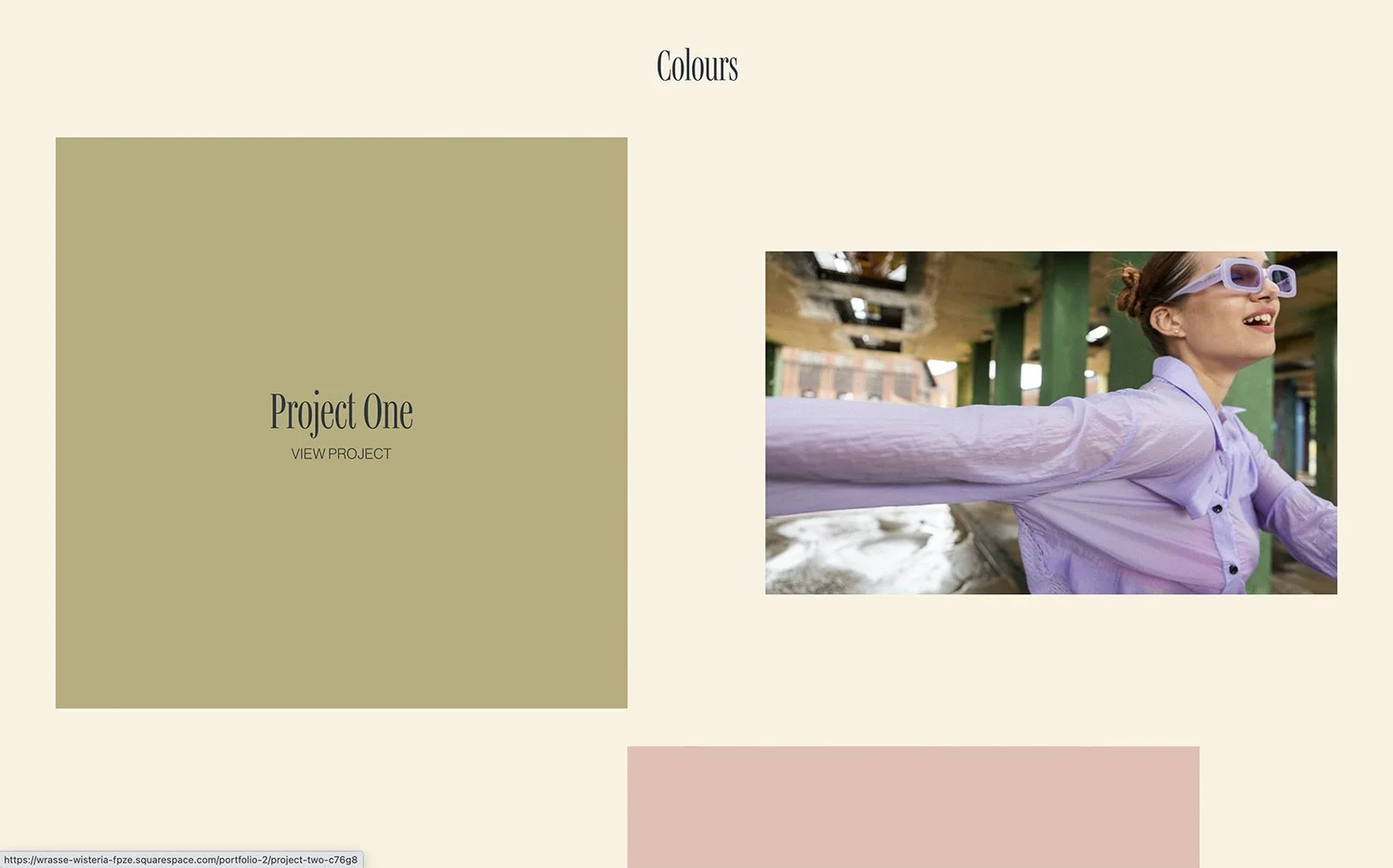
What You'll Create
Create a portfolio grid in Squarespace with items at varying sizes and positions, breaking the uniform grid pattern. Every fourth item can span wider, items can be offset horizontally, and each can have unique background colors.
The Problem It Solves
Squarespace portfolio grids display items uniformly, which can feel repetitive. Creating visual rhythm with varying sizes, asymmetric positioning, and individual styling requires CSS nth-child selectors to target specific items in the sequence.
Perfect For
Creative agency portfolios, Photography showcases, Design portfolios, Art galleries, Architecture firms.
What Makes This Different
Styling patterns target every 4th item (or any pattern) for unique sizing via grid column spans and custom aspect ratios. Visual transformations offset selected items horizontally for asymmetry. URL-keyword targeting enables individual background colors per project. The result is a dynamic, magazine-style portfolio layout.
Details
Section Type: Fluid & Classic
Code Type: CSS
Prerequisites: Portfolio section set to Overlay grid layout
Toolkit Title: Asymmetric Portfolio List
Learn This Technique
This is one of 150+ code techniques taught inside Standout Squarespace, where you get:
The complete, copy-paste code
Video walkthrough explaining how it works
The principles behind the technique so you can customize it
Access to our private community for support