

Button Fill Rise Effect
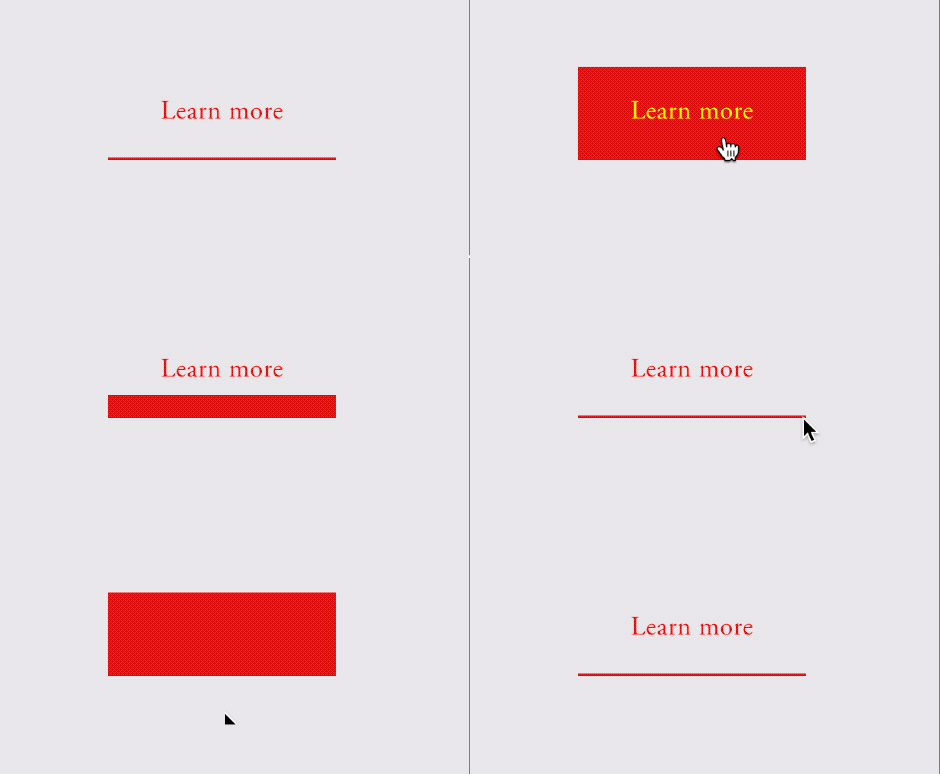
What You'll Create
Create buttons in Squarespace with animated fill effects that rise from bottom to top on hover. The background color climbs up the button height with a smooth animation, creating a dynamic, modern interaction.
The Problem It Solves
Squarespace's default button hover effects are simple opacity or color changes. For that polished, animated fill that rises from the bottom—common in modern web design—you need hidden elements that animate height on hover.
Perfect For
Call-to-action buttons, Contact forms, Service pages, Landing pages, Any prominent button.
What Makes This Different
A hidden element starts at minimal height at the button's bottom. On hover, it animates to full height with a smooth custom easing curve. The text color changes simultaneously for contrast. Clipped content ensures the effect stays within button boundaries.
Details
Section Type: Fluid & Classic
Code Type: CSS
Prerequisites: Button block set to Large size
Toolkit Title: Button Height Rollover
Learn This Technique
This is one of 150+ code techniques taught inside Standout Squarespace, where you get:
The complete, copy-paste code
Video walkthrough explaining how it works
The principles behind the technique so you can customize it
Access to our private community for support