

Button Skew Rollover
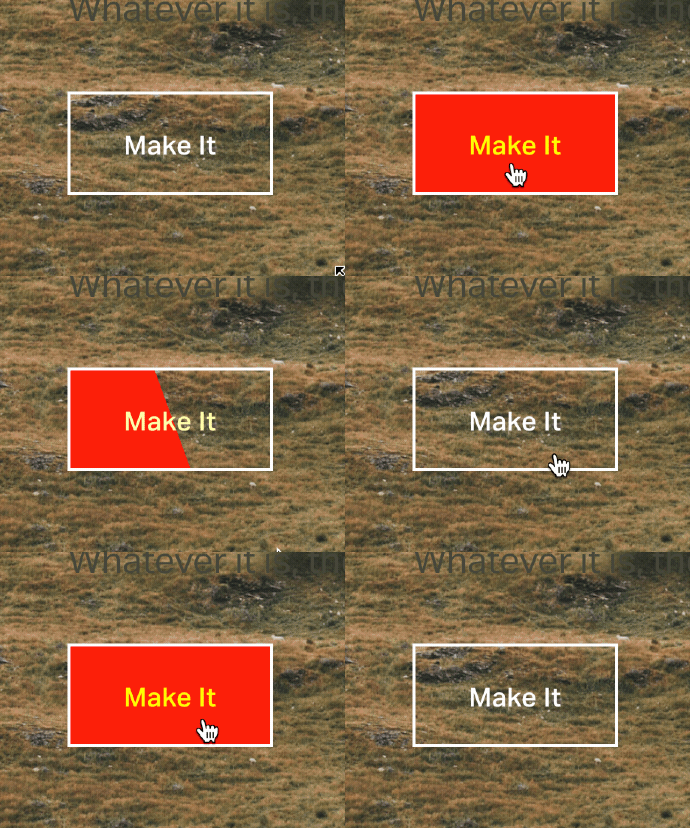
What You'll Create
Create buttons in Squarespace with diagonal fill animations that sweep across on hover. The background color slides in at an angle with a skewed element, creating a more dynamic effect than standard horizontal or vertical fills.
The Problem It Solves
Standard button hovers are predictable. A diagonal, skewed fill animation adds sophistication and visual interest that makes buttons feel more premium and interactive. This requires CSS pseudo-elements with transform skew and width animations.
Perfect For
Hero buttons, Featured CTAs, Premium service pages, Fashion/luxury sites, Any standout button.
What Makes This Different
A hidden element uses an angled skew to create the diagonal fill. On hover, width animates from 0% to 140% (oversized to ensure full coverage despite the angle). Custom easing creates smooth, professional motion at 0.4 seconds. Text color inverts for contrast during the transition.
Details
Section Type: Fluid & Classic
Code Type: CSS
Prerequisites: Button block set to Large size
Toolkit Title: Button Rollover
Learn This Technique
This is one of 150+ code techniques taught inside Standout Squarespace, where you get:
The complete, copy-paste code
Video walkthrough explaining how it works
The principles behind the technique so you can customize it
Access to our private community for support