

Circle Accent Button with Arrow
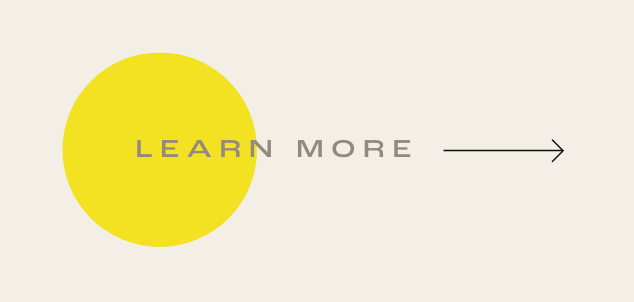
What You'll Create
Create a distinctive button style in Squarespace featuring a colored circle accent on the left side, an arrow icon on the right, and text that expands on hover. The circle scales up and changes color while the text gains letter spacing—creating an elegant, animated call-to-action.
The Problem It Solves
Squarespace's default button styles are limited to solid fills, outlines, or transparent backgrounds. When you want something more creative - like geometric accents, custom icons, and multi-element hover animations - you need custom CSS with pseudo-elements.
Perfect For
Creative agency sites, Portfolio call-to-actions, Boutique brand buttons, Designer websites, Distinctive CTAs.
What Makes This Different
The button uses hidden elements to add the circle and arrow without extra HTML. The circle is positioned on the left, while an SVG arrow mask creates the icon on the right. Hover states coordinate multiple animations: the circle scales and changes color at 1.2x size, text color shifts, and letter spacing increases to 0.1em—all in a smooth 0.3-second unified transition.
Details
Section Type: Fluid & Classic
Code Type: CSS
Prerequisites: Button Block set to Medium size, Button Design set to Fit
Toolkit Title: Ginny Doe Button
Learn This Technique
This is one of 150+ code techniques taught inside Standout Squarespace, where you get:
The complete, copy-paste code
Video walkthrough explaining how it works
The principles behind the technique so you can customize it
Access to our private community for support