

Circular Orbit Layout for List Sections
What You'll Create
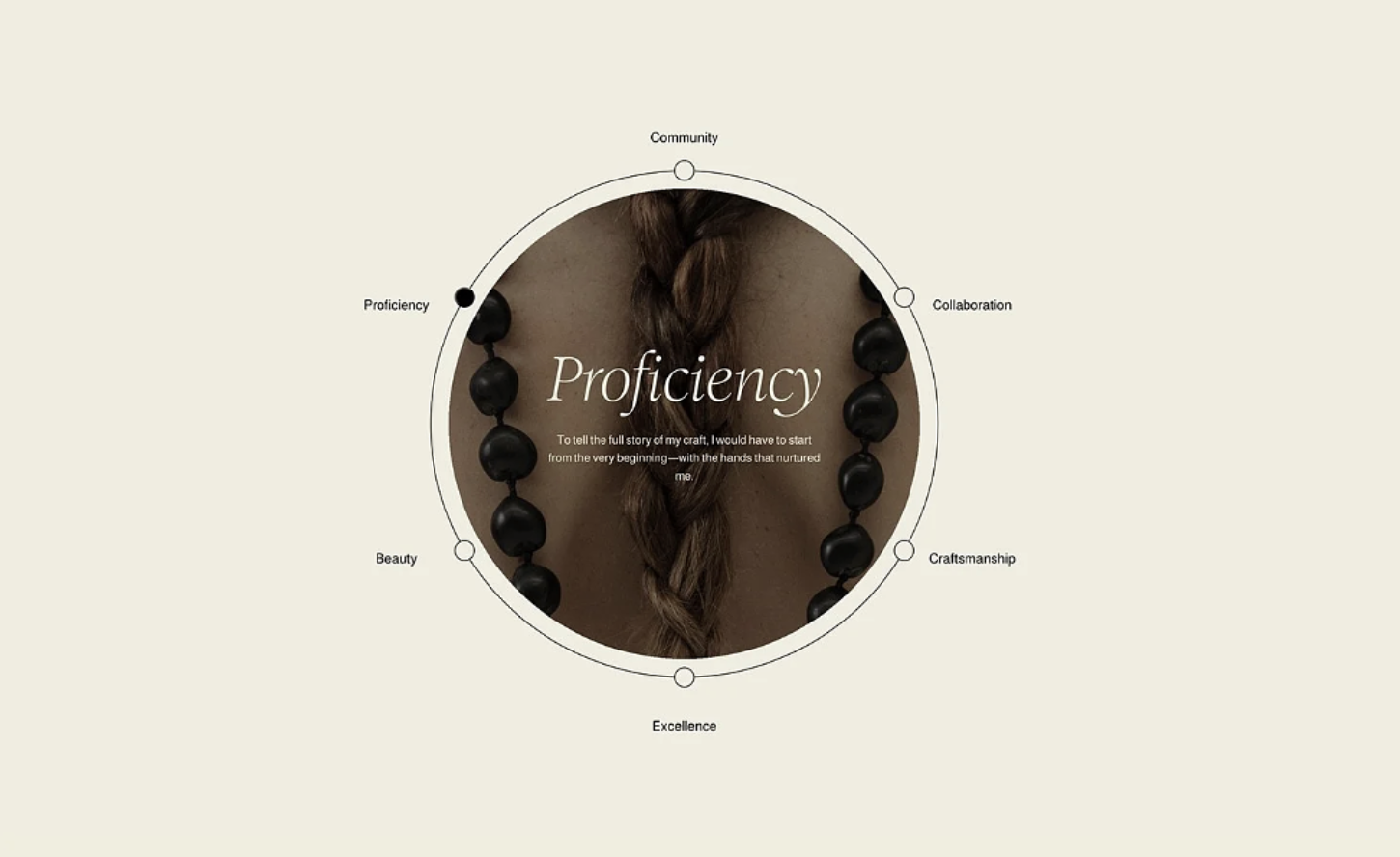
A Squarespace List Section transformed into a stunning circular orbit layout. List item titles are positioned as labeled dots evenly spaced around a large central circle, which displays the active item's image, title, and description. Clicking a label activates that item — the dot fills in, the center content updates, and the whole layout feels like an interactive constellation of your brand's key themes. It's a one-of-a-kind centerpiece for showcasing values, services, or features.
The Problem It Solves
Squarespace's List Section only supports standard vertical, grid, or carousel layouts. There's no native way to arrange items in a circular or radial pattern, and no built-in interactive center-stage display. If you want a visually striking values wheel, service constellation, or feature orbit, you'd need a fully custom solution. This technique converts a standard list into a circular orbit with click-to-reveal interactivity — all editable through the Squarespace editor.
Perfect For
Brand values or pillars visualizations, Service offering overviews, Team role or department maps, Product feature constellations, Company mission or philosophy displays
What Makes This Different
List items are calculated and positioned around the circumference of a circle, evenly distributed regardless of how many items you have. Each item appears as a labeled dot connected to the orbit ring by a thin line. The active item's dot fills in solid while inactive dots remain hollow, giving a clear visual indicator. The center of the circle displays a full-bleed circular image with the active item's title and description overlaid on top. Clicking any label around the orbit smoothly updates the center content. The outer ring itself is drawn with a subtle border that ties the whole composition together. The layout is fully responsive and the content is editable directly in Squarespace's List Section editor — add, remove, or reorder items and the orbit recalculates automatically. This is a premium component available to Standout Squarespace members who submit a testimonial.
Details
Skill Level: Advanced
Section Type: Fluid Engine
Code Type: CSS + JavaScript
Prerequisites: List Section with titled items and descriptions. JavaScript and CSS in footer code injection. Images recommended for center display.
Toolkit Title: List Orbit (Premium)
Learn This Technique
This is one of 150+ code techniques taught inside Standout Squarespace, where you get:
The complete, copy-paste code
Video walkthrough explaining how it works
The principles behind the technique so you can customize it
Access to our private community for support