

Transcript Audio Sync
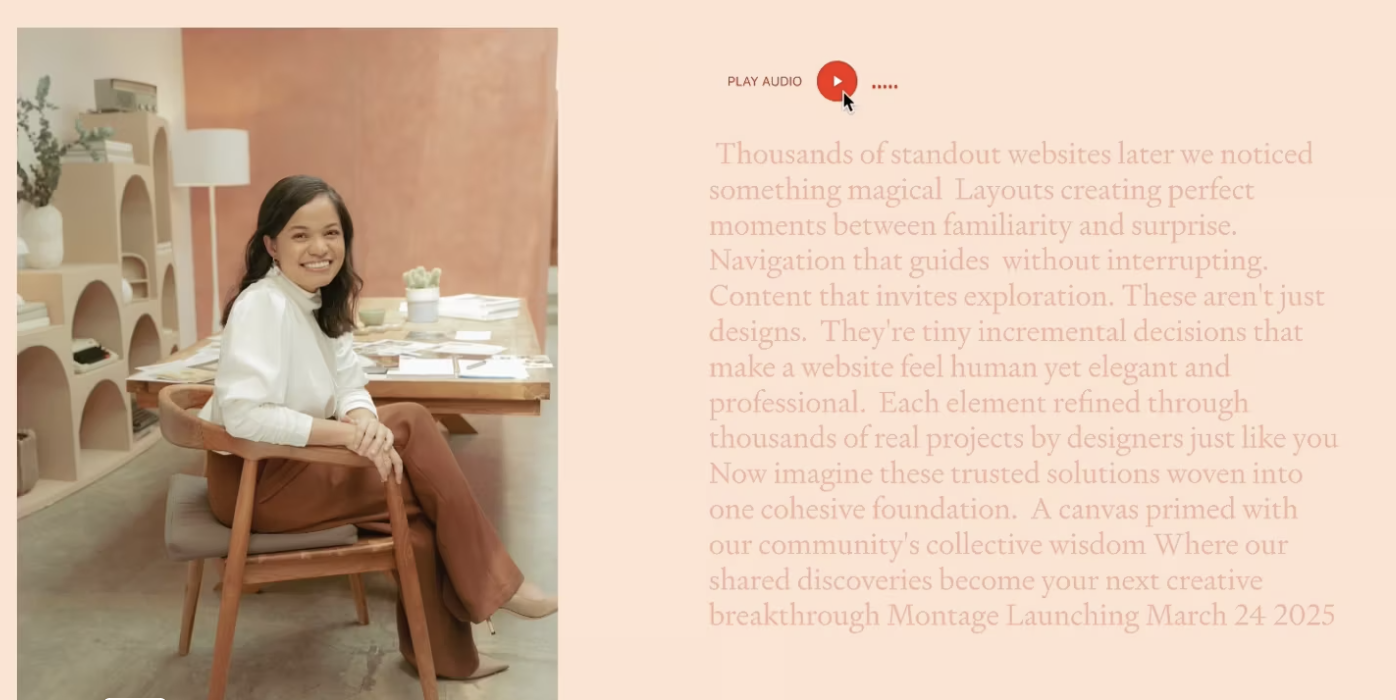
What You'll Create
A synchronized audio-and-transcript experience on your Squarespace site where visitors can press play on the built-in audio block and watch the transcript highlight in real time — with bold text emphasis that follows along with the spoken words. It turns a simple audio clip into an engaging, accessible reading-and-listening experience.
The Problem It Solves
Squarespace's audio block plays audio but offers no way to display or sync a transcript alongside it. If you want visitors to read along as they listen — for a testimonial, brand story, or featured message — there's no native solution. Embedding third-party podcast players adds bulk and rarely matches your site's design. This technique connects the native audio block to a styled transcript that highlights text in sync with playback.
Perfect For
Client testimonial audio highlights, Founder story or brand message sections, Podcast episode featured quotes, Accessibility-first content presentations, Key message spotlights on landing pages
What Makes This Different
The transcript text highlights automatically as the audio plays, with bold emphasis that moves through the content in real time — so visitors can read along without losing their place. It uses the native Squarespace audio block rather than an embedded third-party player, so the controls match your site's design. The text is fully editable in the Squarespace editor as a regular text block, which means you can style it, change it, and format it like any other content. The highlighting creates a visual rhythm that makes longer messages easier to follow and adds a polished, intentional feel to testimonials and key brand messages. This is a premium component available to Standout Squarespace members who submit a testimonial.
Details
Section Type: Fluid Engine
Code Type: CSS + JavaScript
Prerequisites: Audio Block with an uploaded audio file. Text block with transcript content. JavaScript and CSS in footer code injection.
Toolkit Title: Transcript Audio Sync
Learn This Technique
This is one of 150+ code techniques taught inside Standout Squarespace, where you get:
The complete, copy-paste code
Video walkthrough explaining how it works
The principles behind the technique so you can customize it
Access to our private community for support