

Custom Social Link Icons
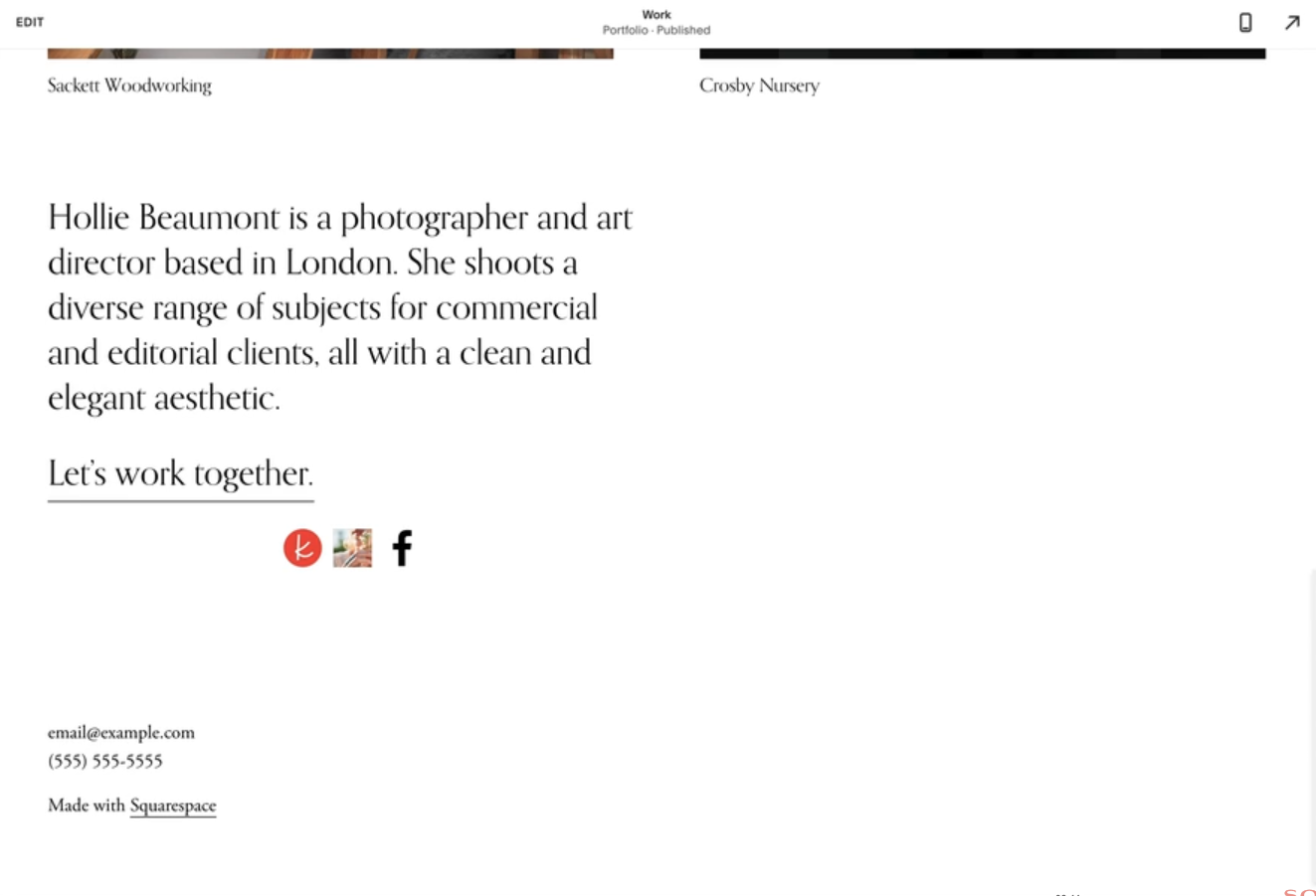
What You'll Create
Social link icons that use your own custom images instead of Squarespace's default icons. Each platform (Instagram, Twitter, Facebook, etc.) can have its own unique icon that matches your brand.
The Problem It Solves
Squarespace only provides a fixed set of social icons in one style. If you want branded icons, a different aesthetic, or icons for platforms not included in Squarespace's set, you're stuck — unless you use this technique.
Perfect For
Brand-matched social icons, Custom icon styles, Unsupported platforms, Unique icon shapes, Cohesive footer design
What Makes This Different
This technique lets you swap out any social icon with an image you provide. You simply point to your custom icon image URL and the code replaces the default. Works for any social platform Squarespace supports, and you can resize icons to fit your design.
Details
Section Type: Fluid & Classic
Code Type: CSS
Prerequisites: Custom icon images hosted (URL required), Social links added in Squarespace settings
Toolkit Title: Custom Social Links Icons
Learn This Technique
This is one of 150+ code techniques taught inside Standout Squarespace, where you get:
The complete, copy-paste code
Video walkthrough explaining how it works
The principles behind the technique so you can customize it
Access to our private community for support