

Flexible Mega Menu
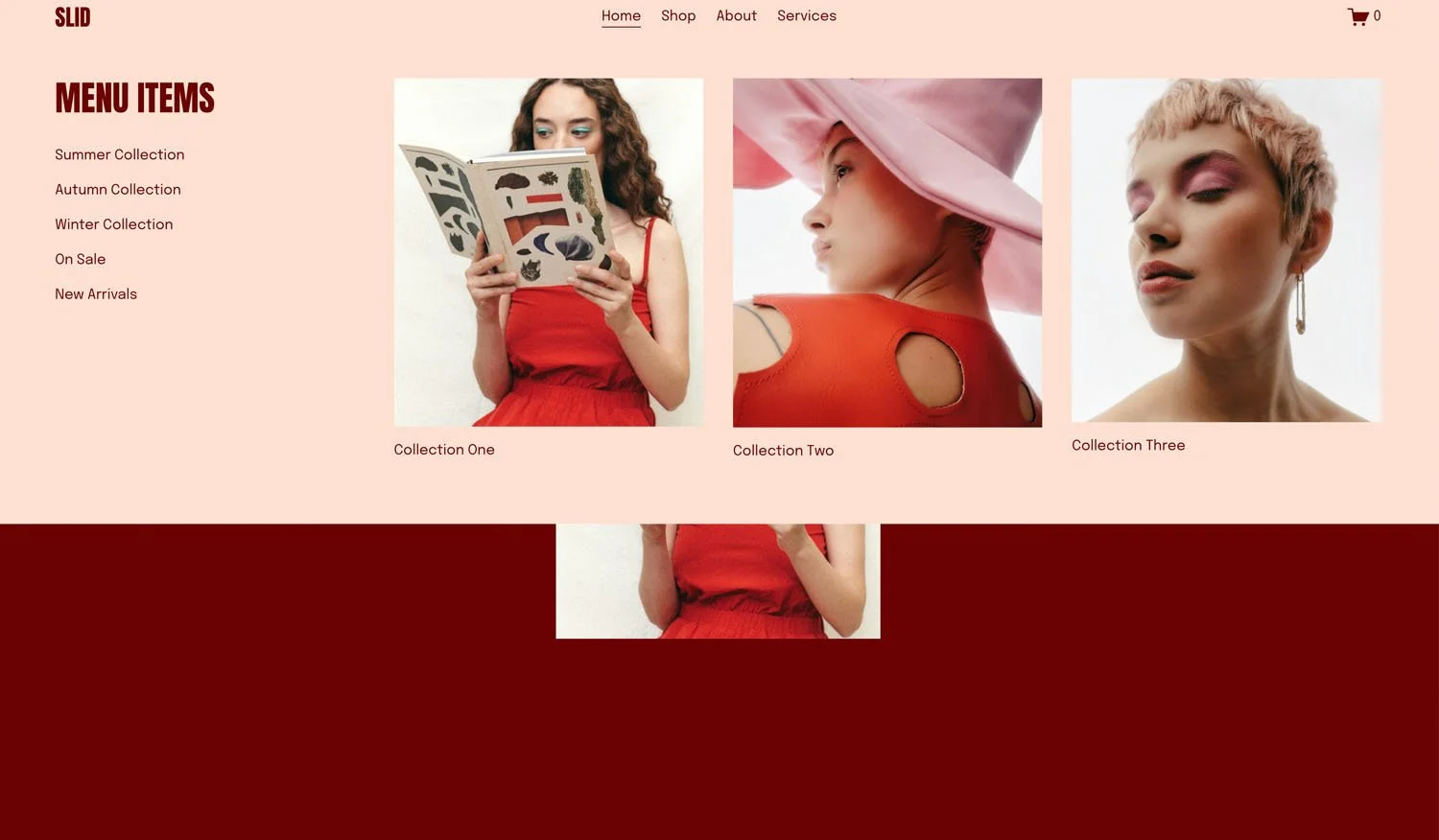
What You'll Create
A fully customizable mega menu with multiple content panels that appears when visitors hover over navigation items. Design each panel with images, text, and links using Squarespace's visual editor, then have them appear in a polished dropdown experience.
The Problem It Solves
Squarespace's folder dropdowns are limited to simple text link lists. When you want to showcase featured products, include images, or create a more visual navigation experience, you need mega menu functionality. This technique transforms your navigation into a rich, content-filled experience.
Perfect For
E-commerce category navigation, Service showcase menus, Multi-location business sites, Content-rich blog navigation, Portfolio category browsing.
What Makes This Different
You design your mega menu panels using regular Squarespace pages - add any content you want using the visual editor, then the code pulls those pages into the navigation dropdown. The menu is fully accessible with keyboard navigation support. You can trigger it on hover or click depending on your preference. Mobile visitors get the standard mobile menu while desktop visitors get the enhanced mega menu experience.
Details
Section Type: Fluid & Classic
Code Type: CSS + JavaScript
Prerequisites: Pages with /menu- URL prefix for each mega menu panel, Folder navigation items linking to these pages
Toolkit Title: Flexible Mega Menu and Pop-out Menu
Learn This Technique
This is one of 150+ code techniques taught inside Standout Squarespace, where you get:
The complete, copy-paste code
Video walkthrough explaining how it works
The principles behind the technique so you can customize it
Access to our private community for support