

Stylish Vertical Tabs
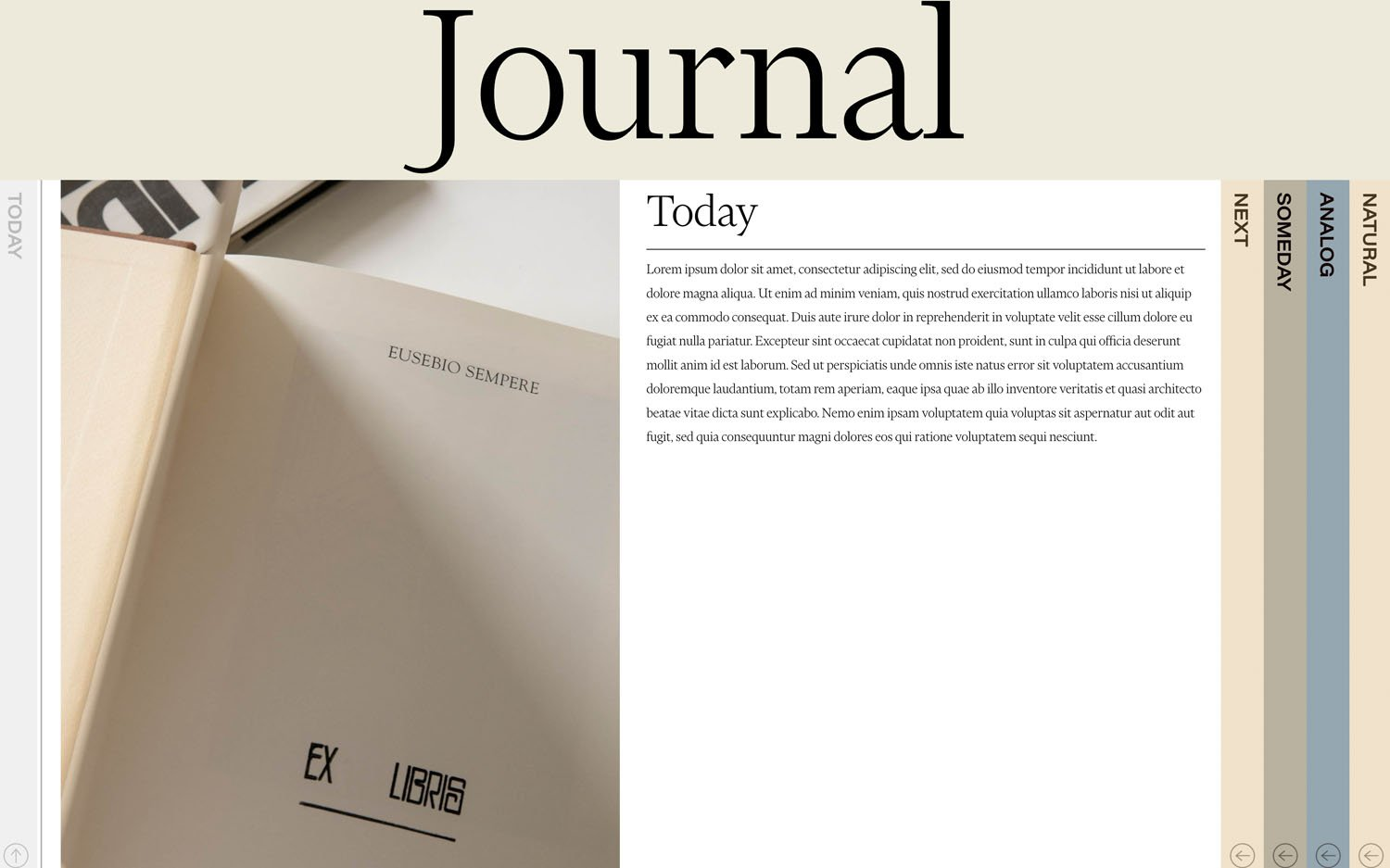
What You'll Create
Stylish vertical tabs that display your blog or portfolio content in an interactive side-navigation format. Tab labels run vertically along the side, and clicking each one reveals its full content with smooth transitions.
The Problem It Solves
Squarespace's native tabs are horizontal and limited in styling options. When you want a distinctive vertical tab layout that pulls content dynamically from a blog collection, you'd normally need custom development. This technique creates an elegant, magazine-style tabbed interface.
Perfect For
Service category displays, Portfolio project showcases, Team member profiles, Case study presentations, Feature comparison layouts.
What Makes This Different
The tabs pull content directly from any blog collection you specify, so you manage everything through Squarespace's familiar blog interface. On desktop, tabs rotate vertically for a unique design statement. On tablet and mobile, the layout automatically switches to an accordion-style stacked view. The active tab gets an animated arrow indicator showing which content is currently displayed.
Details
Section Type: Fluid & Classic
Code Type: CSS + JavaScript
Prerequisites: Blog collection for tab content, Code block with data-url attribute pointing to blog, External CSS and JS files
Toolkit Title: Stylish Vertical Tabs
Learn This Technique
This is one of 150+ code techniques taught inside Standout Squarespace, where you get:
The complete, copy-paste code
Video walkthrough explaining how it works
The principles behind the technique so you can customize it
Access to our private community for support