

Flip Cards on Click
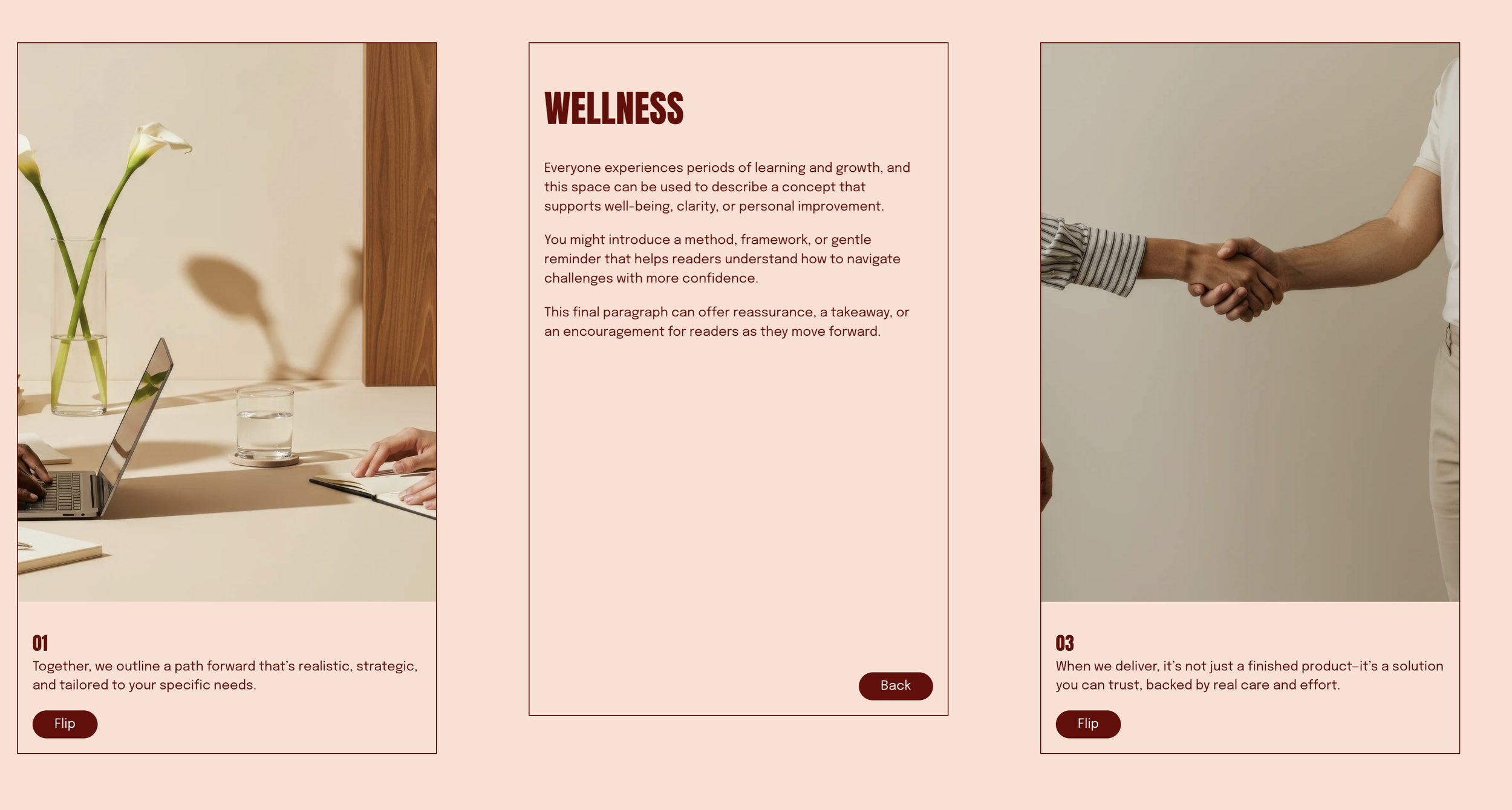
What You'll Create
Create list section items in Squarespace that flip like playing cards when clicked, revealing hidden back content with a satisfying 3D rotation. The front shows the image and title, clicking the "Flip" button rotates the card 180° to show the description content, with another click to flip back.
The Problem It Solves
Squarespace's list section displays all content at once with no interactive reveal options. Creating engaging card-based interactions typically requires custom development. This technique uses CSS 3D transforms and JavaScript to add flip functionality to native list items.
Perfect For
Team member cards with bio reveals, service cards with detailed descriptions, product features with specification backs, FAQ cards with answers on flip, portfolio items with project details.
What Makes This Different
The flip animation looks genuinely three-dimensional, like turning over a playing card. The front shows your image and title, while the back can contain any description content you want—just start your back content with a heading. A styled button appears automatically to trigger the flip, and clicking again flips it back. The text on the back remains perfectly readable even though the card has rotated 180°, creating a polished, interactive experience.
Details
Section Type: Fluid Engine
Code Type: CSS + JavaScript
Prerequisites: List Section (Simple) with
#flip-cardsanchor, description text with### Heading Threeto mark where back content begins, List Item Description Text Formats scriptToolkit Title: Show Caption on Hover
Learn This Technique
This is one of 150+ code techniques taught inside Standout Squarespace, where you get:
The complete, copy-paste code
Video walkthrough explaining how it works
The principles behind the technique so you can customize it
Access to our private community for support