

Floating Overlapping Section Banner
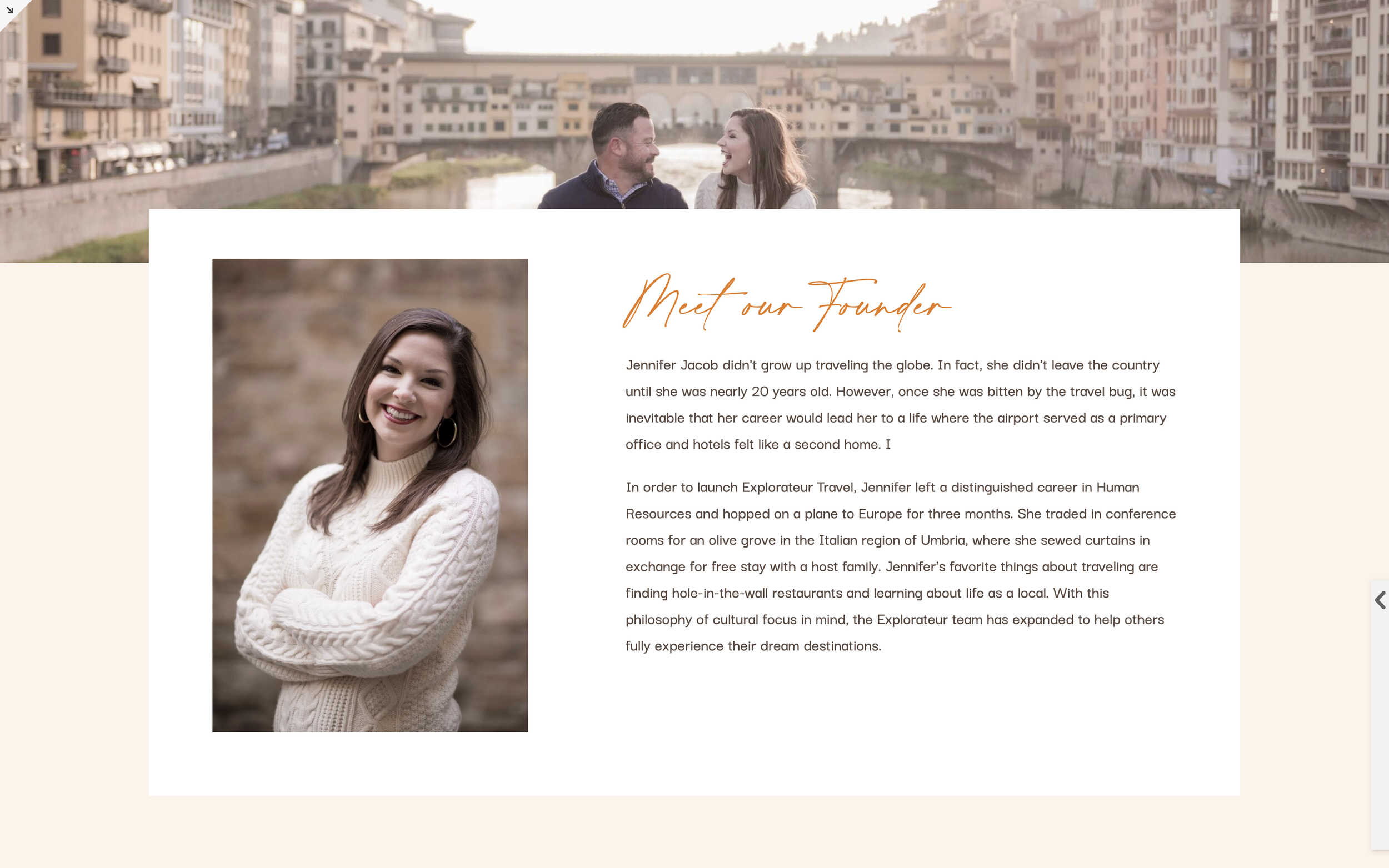
What You'll Create
A section that "floats" above the content below it, creating a dramatic overlapping effect. The banner appears to pull up from its natural position, overlapping the following section for a layered, editorial look.
The Problem It Solves
Squarespace sections stack vertically with no overlap. If you want that modern editorial look where a content block appears to float above or overlap adjacent sections, there's no native option. This technique uses CSS positioning to create that pulled-up, floating effect.
Perfect For
Homepage hero callouts, Featured content sections, Sales page highlights, Testimonial spotlights, Important announcements
What Makes This Different
This approach uses negative margins and transforms to pull a section up from its natural position so it overlaps the content above or below. The section can have a background color and padding to create a card-like appearance that floats over adjacent content. It's a subtle but impactful design element that adds depth to your layouts.
Details
Section Type: Classic
Code Type: CSS
Prerequisites: Section with unique anchor ID
Toolkit Title: Floating Banner
Learn This Technique
This is one of 150+ code techniques taught inside Standout Squarespace, where you get:
The complete, copy-paste code
Video walkthrough explaining how it works
The principles behind the technique so you can customize it
Access to our private community for support