

Fluid Slideshows
What You'll Create
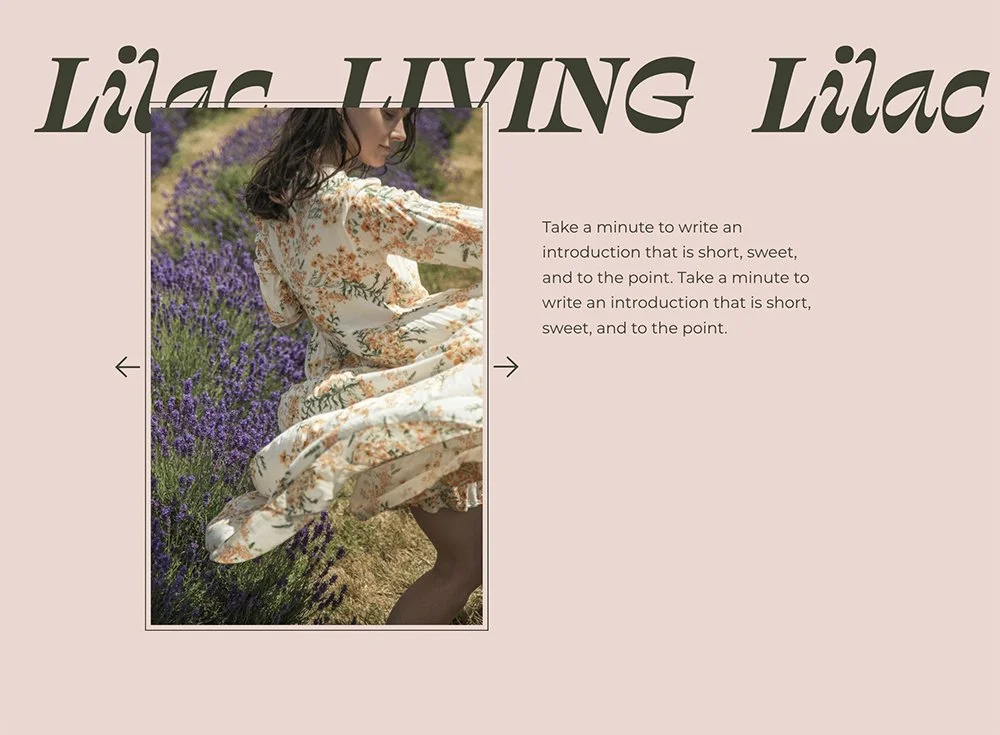
Build a Squarespace gallery slideshow that fills its Fluid Engine container exactly—no awkward gaps, no overflow issues. The images scale properly to cover the space, custom arrow icons replace Squarespace's defaults, and you get multiple caption layout options (overlaid, stacked below, or side-by-side). It's the foundation for making gallery blocks behave like proper design elements rather than rigid, preset components.
The Problem It Solves
Squarespace's gallery block slideshow has fixed dimensions that don't always play nicely with Fluid Engine layouts. You resize the block, but the images don't fill it properly—or they overflow. The default arrows look dated, captions are hard to position, and getting everything to feel intentional takes endless trial and error. This technique makes the slideshow truly fluid, filling whatever container you give it.
Perfect For
Hero sections with rotating banner images, Portfolio case study slideshows, Product image carousels that need custom sizing, Testimonial sections with client photos, Before/after project showcases, Any layout where the gallery needs to fit a specific space
What Makes This Different
The core technique makes the slideshow fill its parent container completely—a simple but powerful approach that Squarespace doesn't do by default. Custom arrows use a lightweight icon font, and you get three positioning options out of the box (centered, bottom-right, bottom-left). Caption styling is modular, so you can stack captions below the image, position them side-by-side, or overlay them—each as a separate code snippet you add as needed.
Details
Section Type: Fluid Engine
Code Type: CSS
Prerequisites: Gallery Block set to Slideshow. Container sized in Fluid Engine.
Toolkit Title: Fluid Slideshow Carousel
Learn This Technique
This is one of the code techniques taught inside Standout Squarespace, where you get:
The complete, copy-paste code
Video walkthrough explaining how it works
The principles behind the technique so you can customize it
Access to our private community for support