

Accessible Tabbed Content Section
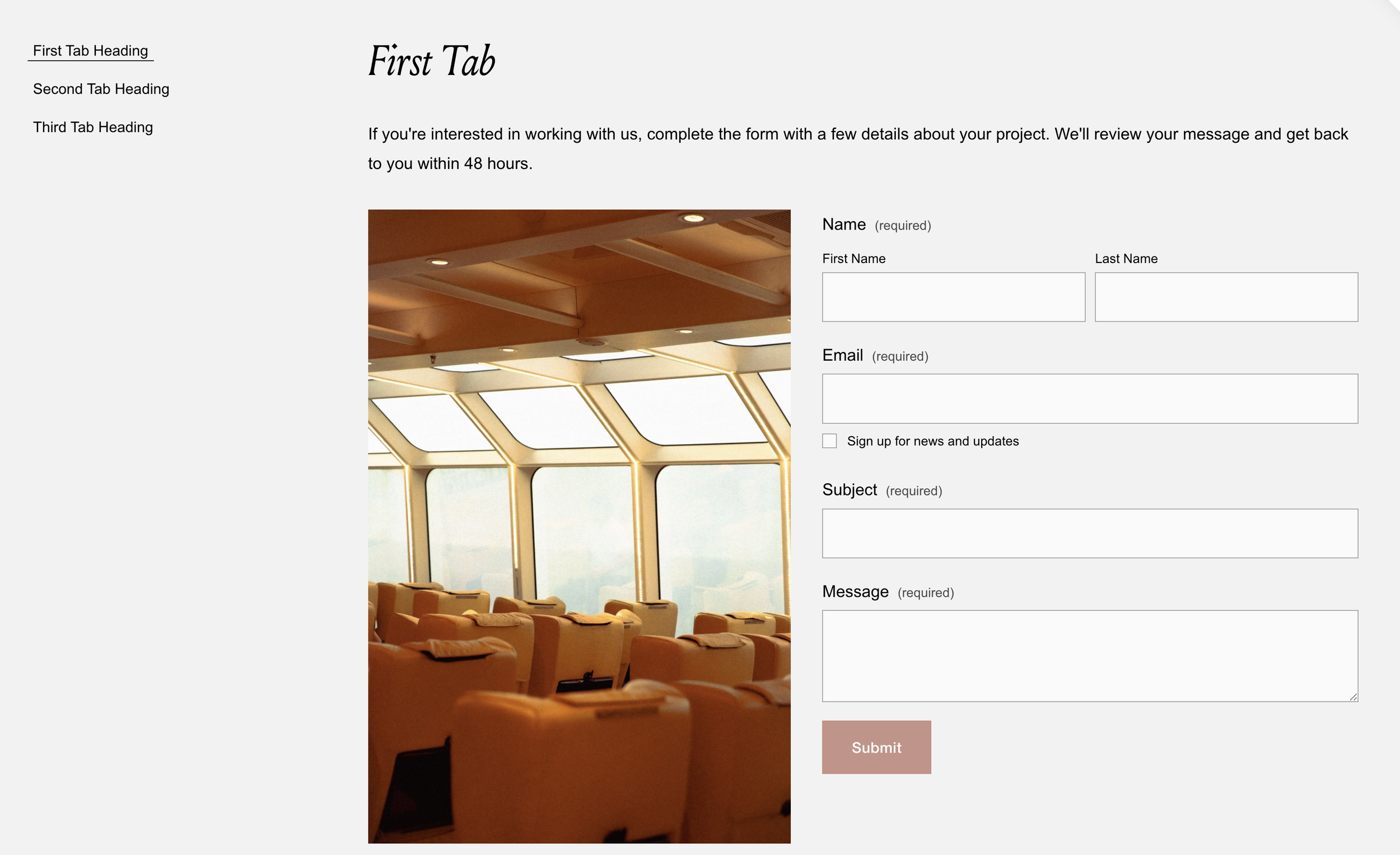
What You'll Create
Build a fully accessible tabbed interface for your Squarespace site where clicking tab buttons reveals different content panels—without Squarespace's native accordion block limitations. The magic is in the setup: you simply add text blocks as tab titles, and the content blocks that follow become the tab panels. Everything is wired up automatically, complete with keyboard navigation (arrow keys to switch tabs) and proper screen reader support.
The Problem It Solves
Squarespace's accordion block works for FAQs, but it's not designed for tabbed interfaces. You want horizontal or vertical tabs where clicking "Services" shows services content and clicking "Process" shows process content—all in the same space. Building this manually requires complex JavaScript and getting accessibility right (ARIA roles, keyboard navigation) is surprisingly difficult. This technique handles all of that automatically.
Perfect For
Service pages with multiple offerings in one section, Product features organized by category, Pricing tables with plan comparisons, Process explanations with distinct phases, FAQ sections that feel more modern than accordions, Any content that benefits from "show one thing at a time" interaction
What Makes This Different
This is fully accessible out of the box—proper screen reader support, plus full keyboard navigation (arrow keys move between tabs, Home/End jump to first/last). The tab titles are pulled from markdown blocks you add in the editor, so you're not hardcoding anything. The 0.3-second transition creates a smooth panel fade, and the styling automatically matches your site's typography.
Details
Section Type: Fluid Engine
Code Type: CSS + JavaScript
Prerequisites: Section with
#flexibletabsanchor. Markdown blocks as tab titles followed by content blocks for each panel.
Toolkit Title: Accessible Tabs
Learn This Technique
This is one of the code techniques taught inside Standout Squarespace, where you get:
The complete, copy-paste code
Video walkthrough explaining how it works
The principles behind the technique so you can customize it
Access to our private community for support