

Product and Blog Subtitles with Pipe Character
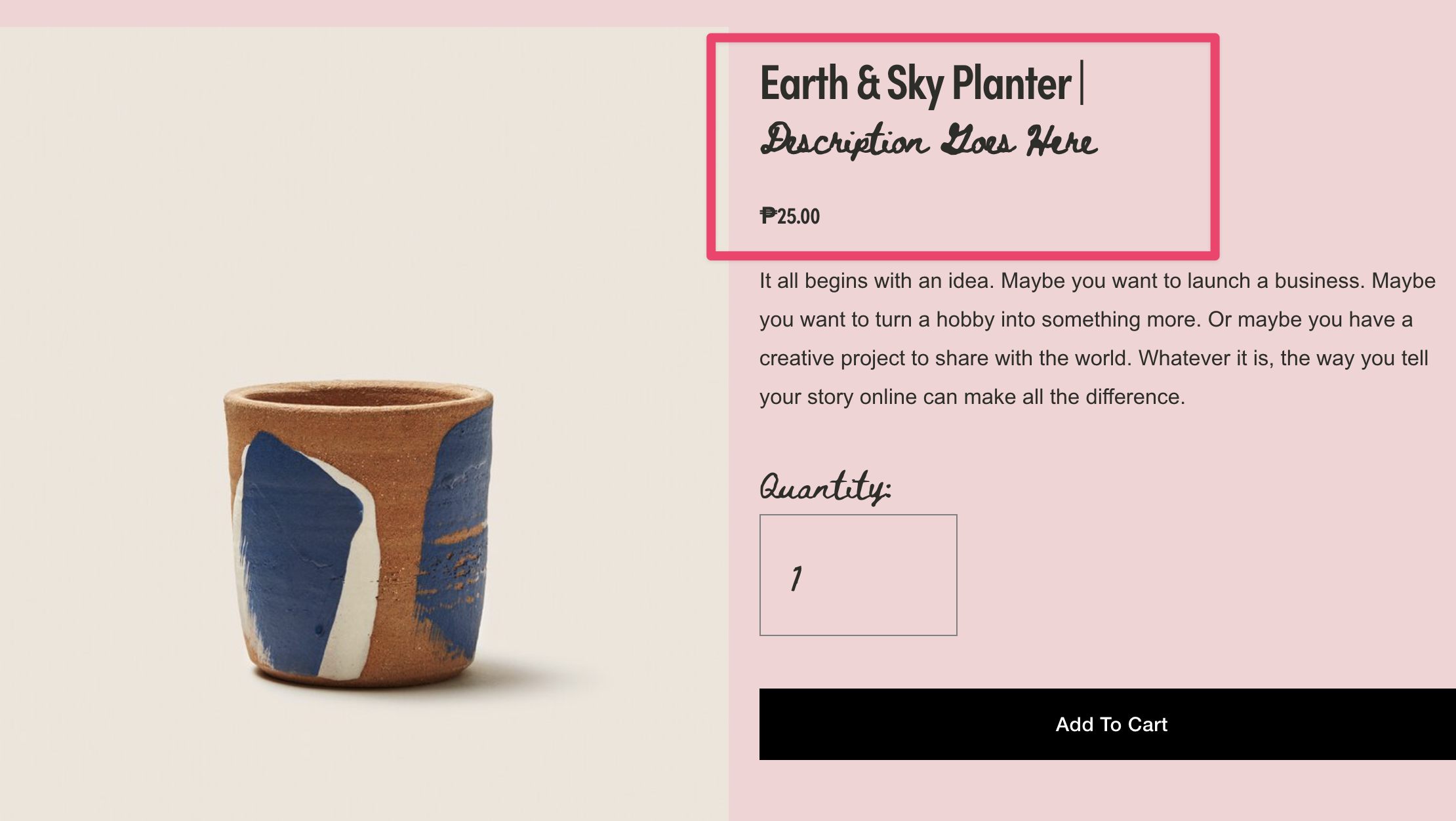
What You'll Create
Styled subtitles that appear beneath your product and blog post titles, created by simply adding a pipe character (|) in the title field. The text after the pipe automatically becomes a smaller, styled subtitle.
The Problem It Solves
Squarespace doesn't offer a native subtitle field for products or blog posts. This technique lets you add descriptive subtitles without extra custom fields or complex workarounds—just type your title, add a pipe, and add your subtitle text.
Perfect For
Product descriptions, Blog post taglines, Portfolio project subtitles, Category indicators, Brief item descriptions
What Makes This Different
This technique scans your titles for a pipe character and automatically splits the text into a main title and a styled subtitle. The subtitle wraps in its own element so you can style it differently—smaller font, different color, lighter weight—whatever fits your design. It works across product grids, blog lists, portfolio items, and detail pages.
Details
Section Type: Fluid & Classic
Code Type: JavaScript
Prerequisites: Script in footer code injection, titles formatted with pipe character (e.g., "Product Name | Subtitle text")
Toolkit Title: Product and Blog Subtitles
Learn This Technique
This is one of 150+ code techniques taught inside Standout Squarespace, where you get:
The complete, copy-paste code
Video walkthrough explaining how it works
The principles behind the technique so you can customize it
Access to our private community for support