

Slideshow with Side Captions
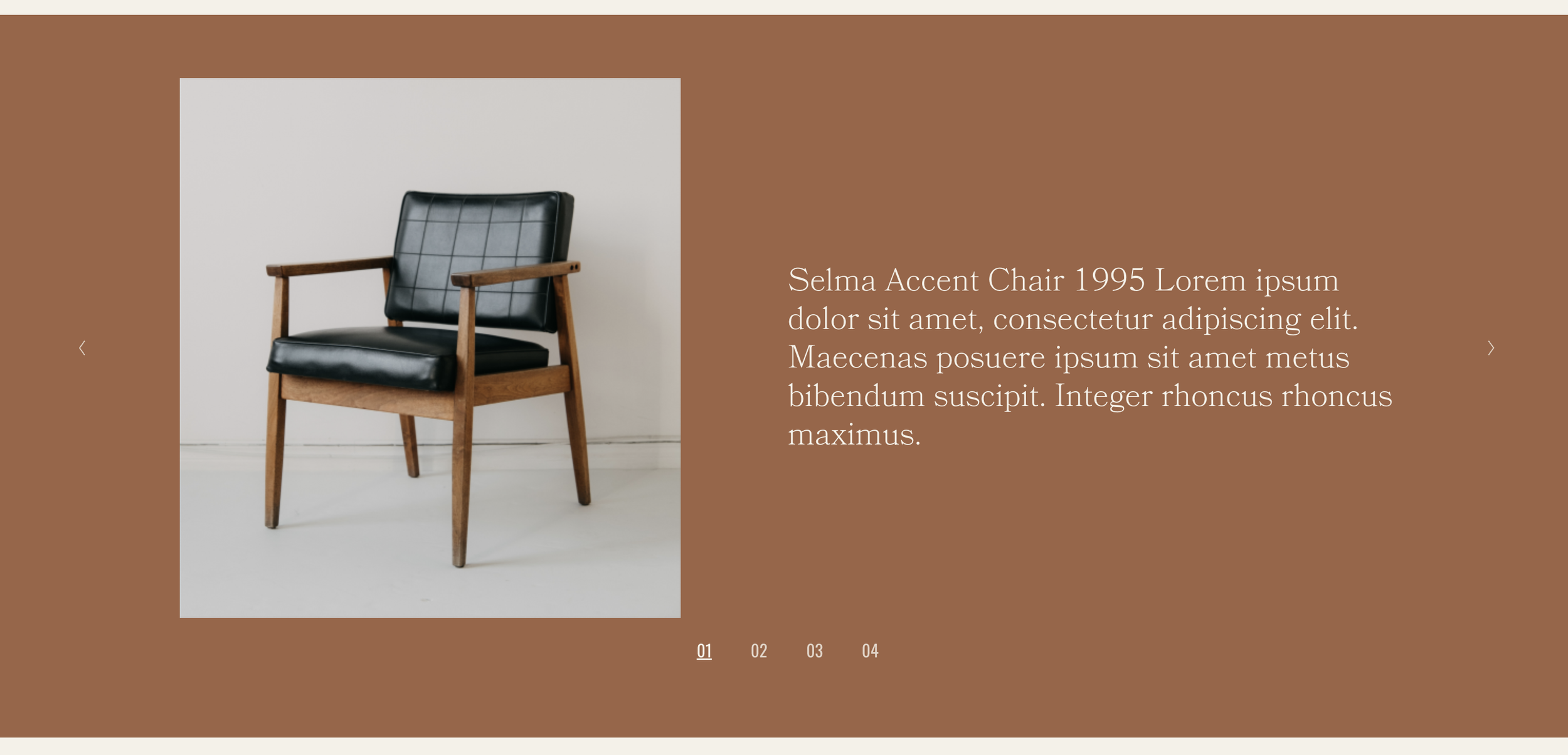
What You'll Create
A gallery slideshow with captions displayed side-by-side with images, plus navigation counters showing your position in the gallery. Images on one side, descriptive text on the other - perfect for portfolio presentations or product showcases.
The Problem It Solves
Squarespace's gallery slideshow places captions below or overlaid on images, which can feel cramped or hard to read. When you want a more editorial, magazine-style presentation with substantial caption text alongside images, you need a different layout approach.
Perfect For
Portfolio project walkthroughs, Product feature showcases, Real estate property tours, Event photo galleries, Editorial image stories.
What Makes This Different
The gallery uses Squarespace's native slideshow functionality enhanced with CSS to create the side-by-side layout. Captions appear in their own column with room for longer descriptions, titles, or any text you want. The slide counter shows visitors exactly where they are in the gallery. On mobile, the layout automatically stacks vertically for a clean experience on smaller screens.
Details
Section Type: Fluid & Classic
Code Type: CSS
Prerequisites: Gallery Section set to Slideshow with captions and thumbnails enabled, Simple Slideshow Counter plugin installed
Toolkit Title: Simple Slideshow with Caption and Counters
Learn This Technique
This is one of 150+ code techniques taught inside Standout Squarespace, where you get:
The complete, copy-paste code
Video walkthrough explaining how it works
The principles behind the technique so you can customize it
Access to our private community for support