

Split Layout Autoplaying Slideshow
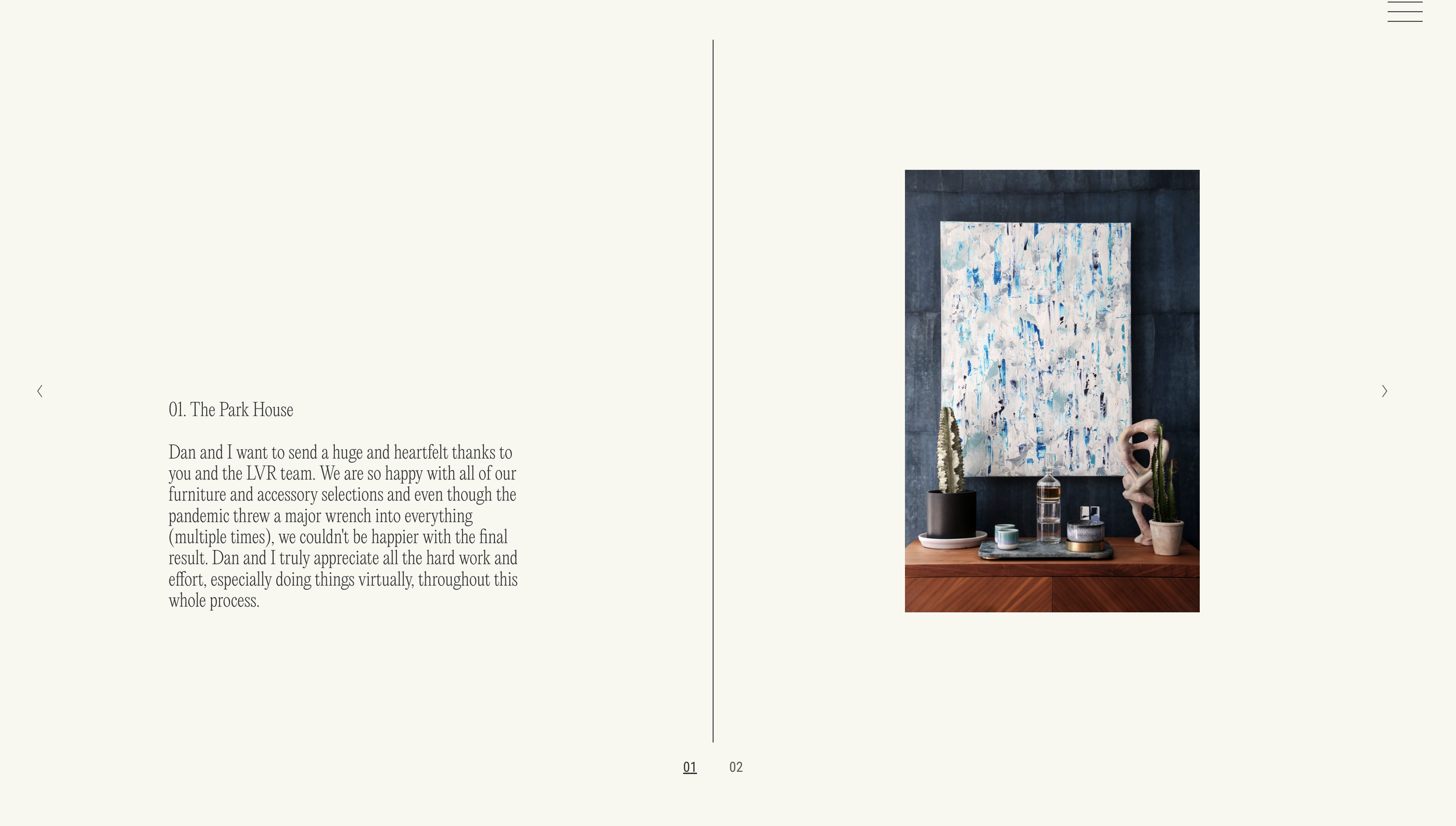
What You'll Create
An autoplaying gallery section slideshow with a split layout: image on one side, caption on the other, separated by a vertical line. Includes automatic slide counters.
The Problem It Solves
Squarespace's gallery section slideshow has limited layout options. When you want a sophisticated split-screen presentation with image and text side by side plus visual counters, you need CSS to restructure the default layout.
Perfect For
Portfolio presentations, Case study slideshows, Product showcases, Editorial layouts, Creative agency sites
What Makes This Different
This technique builds on the Simple Slideshow with Counters technique, adding row-reverse flexbox layout for the split effect. Includes a centered vertical line using ::before pseudo-element. Requires specific gallery section settings to work properly.
Details
Section Type: Fluid & Classic
Code Type: CSS
Prerequisites: Simple Slideshow with Counters code installed, specific gallery settings
Toolkit Title: Autoplaying Slideshow with Counter using Gallery Sections
Learn This Technique
This is one of 150+ code techniques taught inside Standout Squarespace, where you get:
The complete, copy-paste code
Video walkthrough explaining how it works
The principles behind the technique so you can customize it
Access to our private community for support