

How to Add Borders to Instagram Block Images in Squarespace
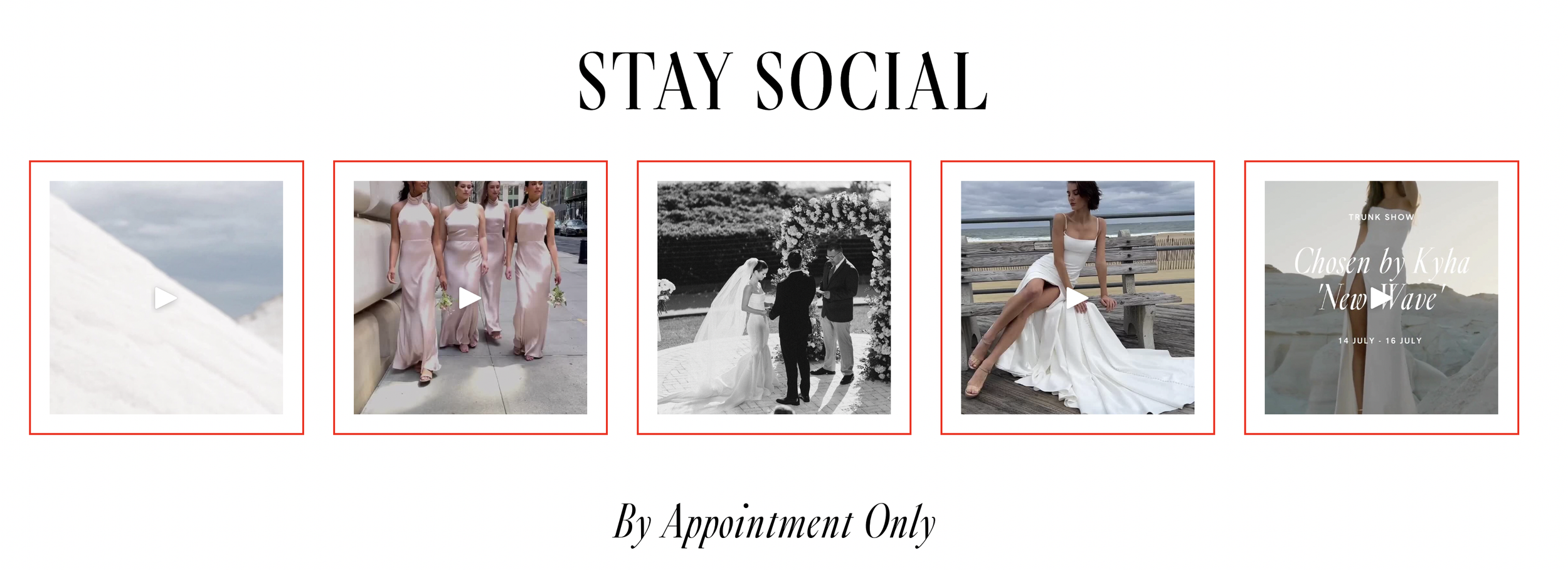
What You'll Create
Decorative borders around each image in your Instagram block feed, creating a framed, gallery-like appearance for your embedded Instagram content.
The Problem It Solves
Squarespace's Instagram block displays images edge-to-edge with no spacing or styling options. If you want that curated, framed look where each Instagram photo has a defined border and padding, there's no built-in setting to achieve this.
Perfect For
Social media feed styling, Instagram grid customization, Brand-consistent social integration, Footer Instagram displays, Homepage social sections
What Makes This Different
This technique adds borders to both your Instagram images and video content uniformly. The styling applies to the image containers themselves, so borders appear cleanly around each piece of content. You can customize the border color, width, and padding to match your site's design. The effect works across both 7.0 and 7.1 sites wherever you've placed an Instagram block.
Details
Section Type: Fluid & Classic
Code Type: CSS
Prerequisites: Instagram block connected to your account
Toolkit Title: Border Instagram Block
Learn This Technique
This is one of 150+ code techniques taught inside Standout Squarespace, where you get:
The complete, copy-paste code
Video walkthrough explaining how it works
The principles behind the technique so you can customize it
Access to our private community for support