

Fluid Side Tabs with Summary Blocks
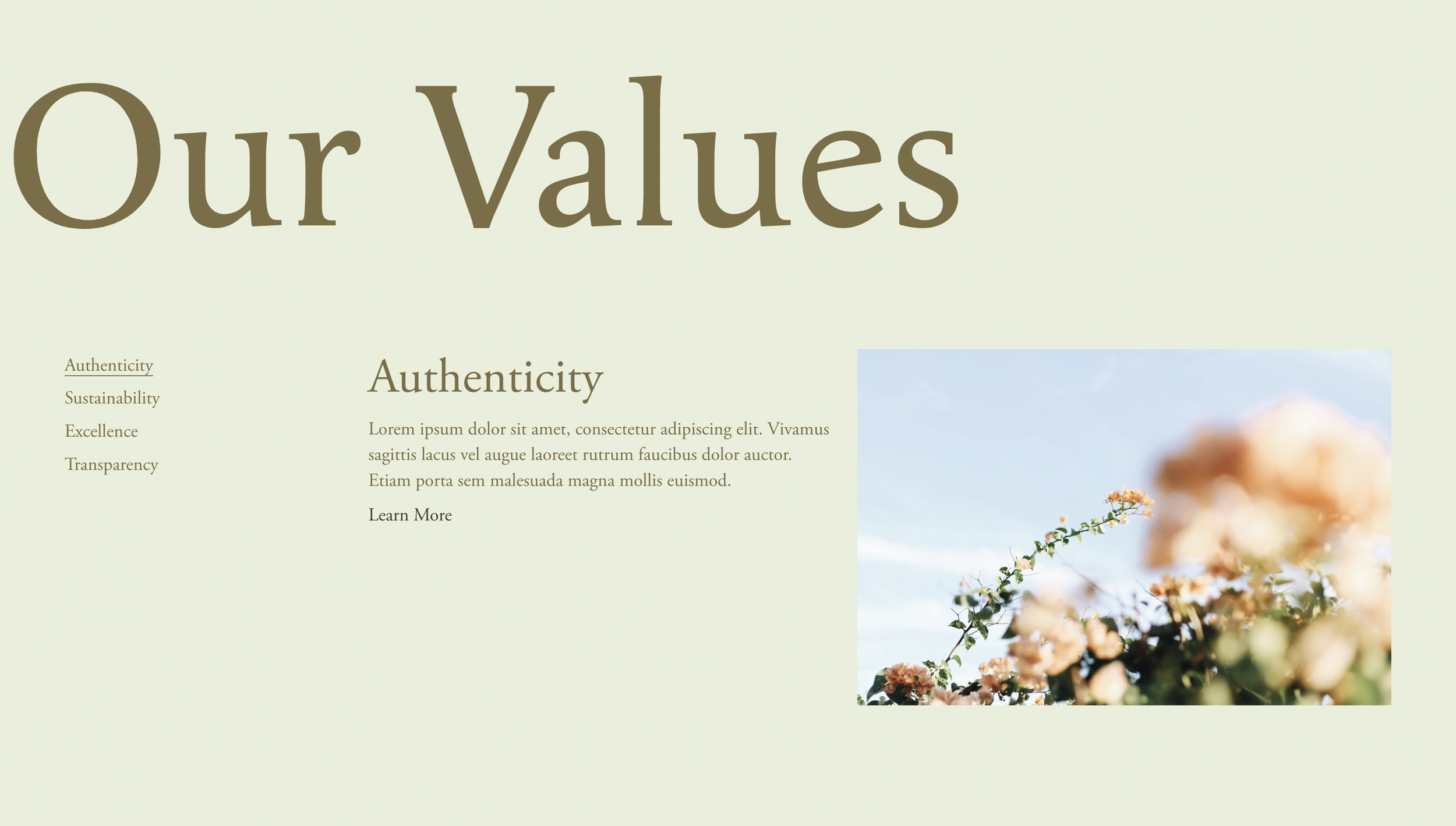
What You'll Create
A vertical sidebar tab navigation in Squarespace that reveals corresponding content panels on hover. Built using Summary Blocks, the tabs display titles and optional excerpts while corresponding images/content appear in an adjacent area. Includes customization options for counters, faded inactive states, and animated underlines on active tabs.
The Problem It Solves
Squarespace doesn't have a native tabbed content component. Building tabs typically requires third-party plugins or complex custom code. This technique repurposes Summary Blocks—which already handle collections of content with titles, images, and excerpts—into a fully functional tab system triggered by hover or click.
Perfect For
Service showcases with multiple offerings, portfolio category browsers, team member spotlights, feature comparison displays, product line presentations, any content needing organized tabbed navigation.
What Makes This Different
Uses a custom section height value (22) to identify tab sections, then builds the tab navigation from Summary Block titles and excerpts. Active state management handles hover and focus events, with proper accessibility features. Customization classes let you add features like counters (counter), faded inactive tabs (faded), and animated underlines (line).
Details
Section Type: Fluid Engine
Code Type: CSS + JavaScript
Prerequisites: Summary Block with thumbnails, titles, and excerpts. Section height set to 22 for script targeting. Code Block for tab heading container.
Toolkit Title: Fluid Side Tabs
Learn This Technique
This is one of 150+ code techniques taught inside Standout Squarespace, where you get:
The complete, copy-paste code
Video walkthrough explaining how it works
The principles behind the technique so you can customize it
Access to our private community for support