

Gallery Slideshow Numbered Navigation
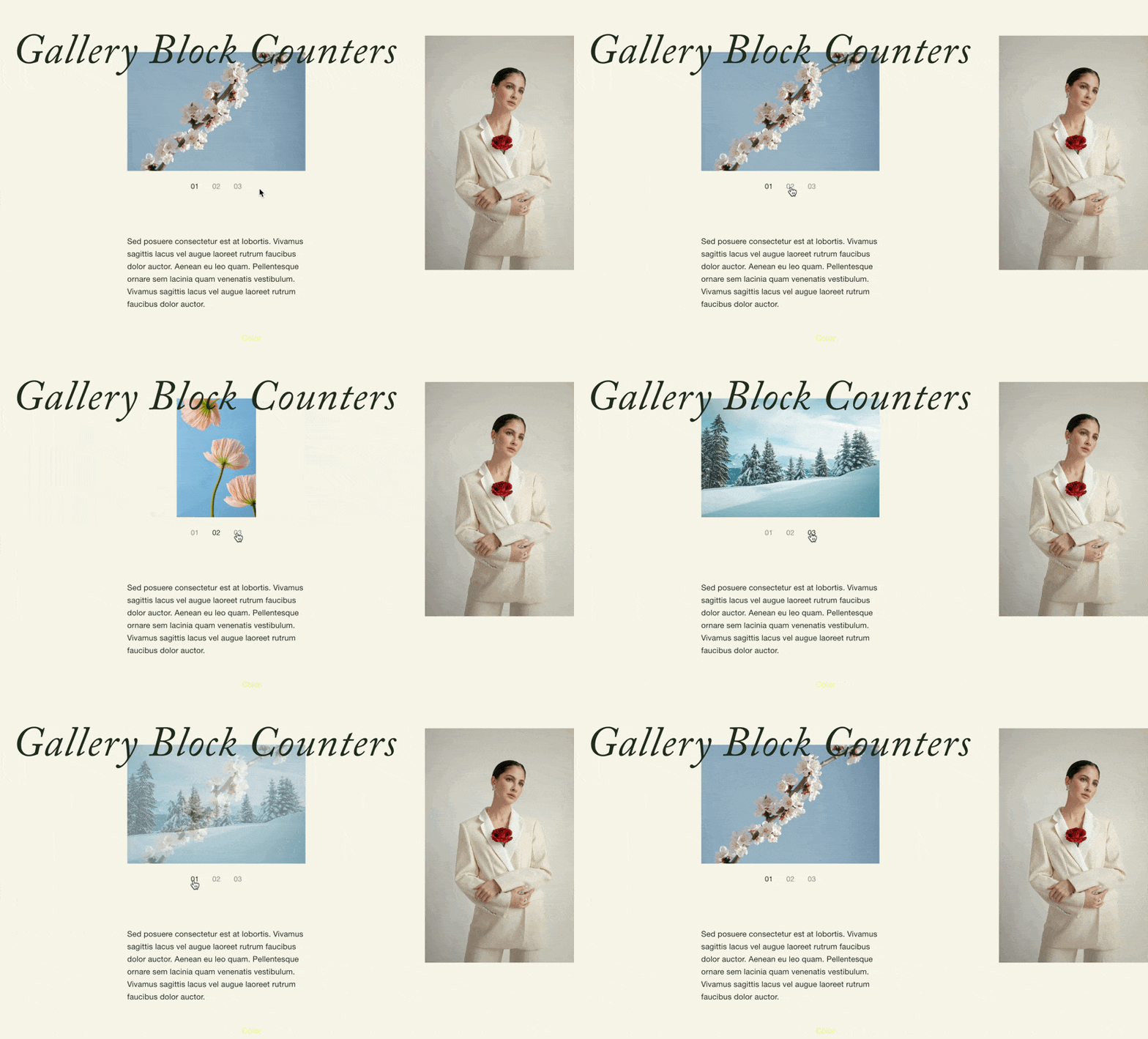
What You'll Create
Gallery Block slideshow navigation in Squarespace with numbered counters instead of default thumbnail previews. Each navigation dot transforms into a formatted number (01, 02, 03...) with customizable typography that matches your site's button font. The thumbnails themselves are hidden, replaced by clean numerical indicators.
The Problem It Solves
Gallery Block slideshows show thumbnail strips or dots for navigation. When you want a more minimal, editorial approach with numbered slides, there's no built-in option. This technique replaces visual thumbnails with auto-incrementing numbers that feel intentional and designed.
Perfect For
Portfolio slideshows with numbered projects, editorial photo galleries, lookbook presentations, award or achievement showcases, any gallery wanting minimalist numbered navigation.
What Makes This Different
Automatically generates sequential numbers for each slide. JavaScript wraps each thumbnail in a container that receives the numbered styling. The numbers inherit your button font family and can be styled with borders, padding, and colors. The actual thumbnail images are hidden while maintaining click functionality.
Details
Section Type: Fluid & Classic
Code Type: CSS + JavaScript
Prerequisites: Gallery Block with slideshow design and thumbnail navigation enabled.
Toolkit Title: Gallery Block Counters
Learn This Technique
This is one of 150+ code techniques taught inside Standout Squarespace, where you get:
The complete, copy-paste code
Video walkthrough explaining how it works
The principles behind the technique so you can customize it
Access to our private community for support