

Image Map Builder
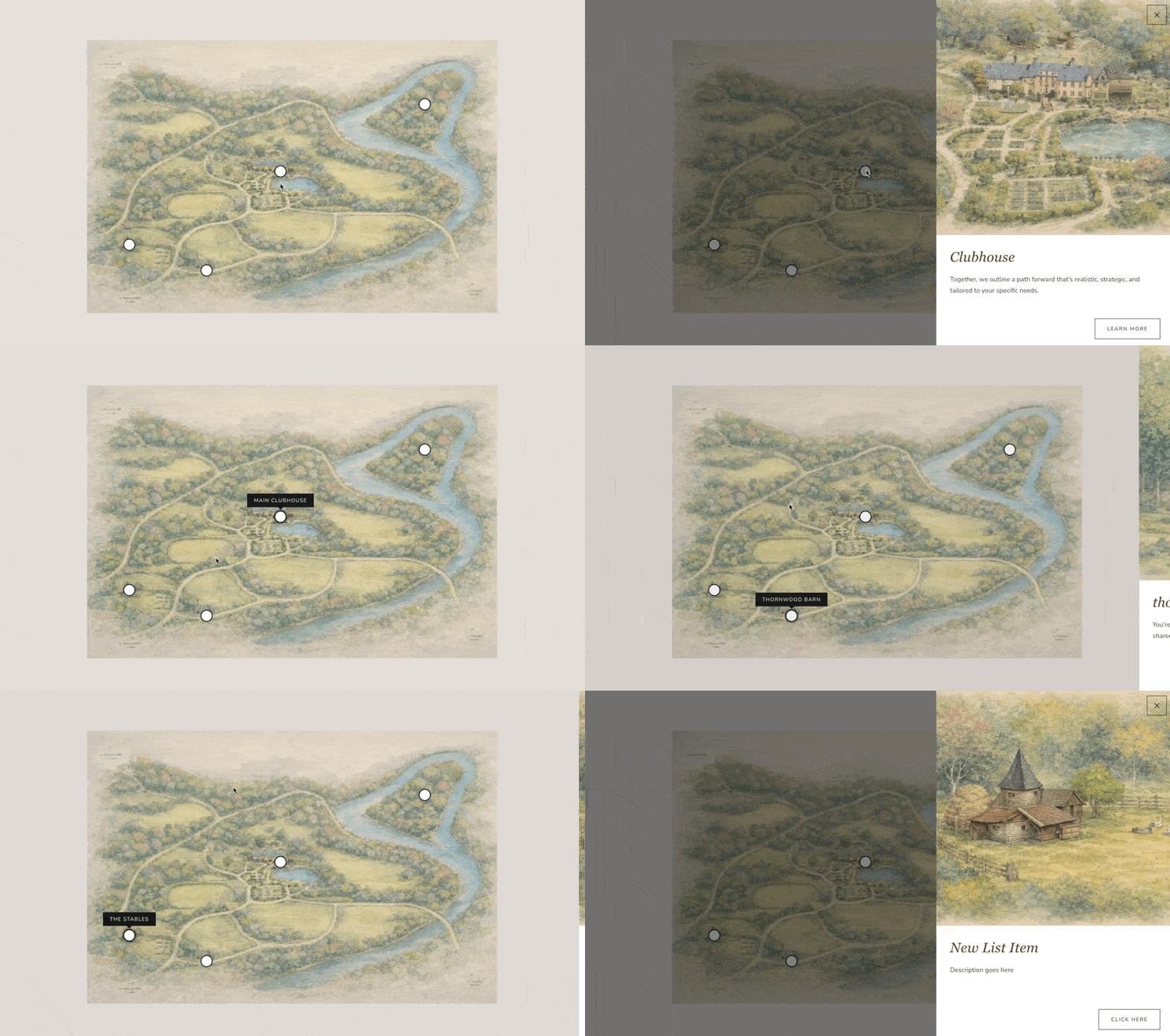
What You'll Create
An interactive image with clickable hotspots that trigger slide-out information panels. Click a marker on a floor plan and a panel slides in with room details. Click a product in a lookbook photo and see the item name, price, and link. The content comes from a regular Squarespace List Section, so you can update your hotspots without touching any code.
The Problem It Solves
Squarespace has no native image map or hotspot feature. If you want to create interactive images — property maps, shoppable lookbooks, annotated diagrams — you're stuck with clunky third-party embeds or expensive apps. These solutions often look out of place, don't match your site's design, and require separate content management. This technique uses your existing Squarespace tools to create a fully integrated, on-brand experience.
Perfect For
Property floor plans and venue layouts, lookbooks with shoppable product tags, anatomy or product feature diagrams, team photos with clickable bios, travel guides with interactive location markers
What Makes This Different
The magic is in the content management: your hotspot data lives in a standard List Section, making updates easy for anyone. The technique is fully responsive, adjusting hotspot positions as the image scales. It's also accessible, with proper focus management and keyboard navigation. The slide-out panels work smoothly on mobile with touch-friendly interactions, and the header automatically hides when a panel is open to maximize content space.
Details
Section Type: Fluid Engine
Code Type: CSS + JavaScript
Prerequisites: List Section for hotspot content. Image block for the base image. Section with #mapbuild anchor for the content source.
Toolkit Title: Image Map Builder
Learn This Technique
This is one of 150+ code techniques taught inside Standout Squarespace, where you get:
The complete, copy-paste code
Video walkthrough explaining how it works
The principles behind the technique so you can customize it
Access to our private community for support