

Geographical Layout Toggle
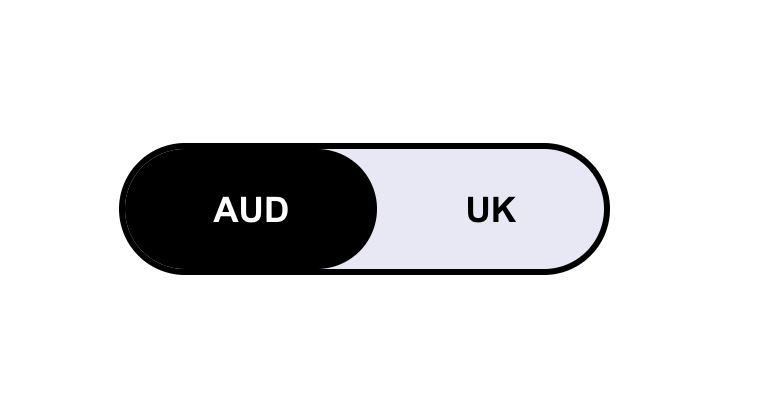
What You'll Create
A smart location-aware toggle that automatically detects where visitors are browsing from and shows them region-specific content. UK visitors see UK pricing and content; everyone else sees the default (like AUD). Visitors also get a sleek pill-shaped toggle button to manually switch between regions, and their preference is remembered for future visits.
The Problem It Solves
If you serve multiple markets, you've likely struggled with showing the right pricing, shipping info, or product availability to the right visitors. Squarespace doesn't have built-in geo-targeting. The usual workarounds — separate sites or clunky redirect plugins — create maintenance headaches and poor user experiences. This technique lets you manage everything on one site while automatically serving location-appropriate content.
Perfect For
Multi-region e-commerce stores, international service providers, currency or pricing displays, location-specific content, regional product availability
What Makes This Different
This solution uses a free IP geolocation API to detect visitor location, then stores their preference in localStorage so it persists across sessions. The toggle is fully accessible with proper ARIA attributes, keyboard navigation, and screen reader announcements when the view changes. You define your CSS rules for each region, giving you complete control over what changes — hide entire sections, swap images, or just change text.
Details
Section Type: Fluid & Classic
Code Type: CSS + JavaScript
Prerequisites: Unordered list block with toggle links (#switch-AUD and #switch-UK format). CSS for toggle styling and layout variations.
Toolkit Title: Geographical Layout Toggle
Learn This Technique
This is one of 150+ code techniques taught inside Standout Squarespace, where you get:
The complete, copy-paste code
Video walkthrough explaining how it works
The principles behind the technique so you can customize it
Access to our private community for support