

Video Reveal on Text Hover
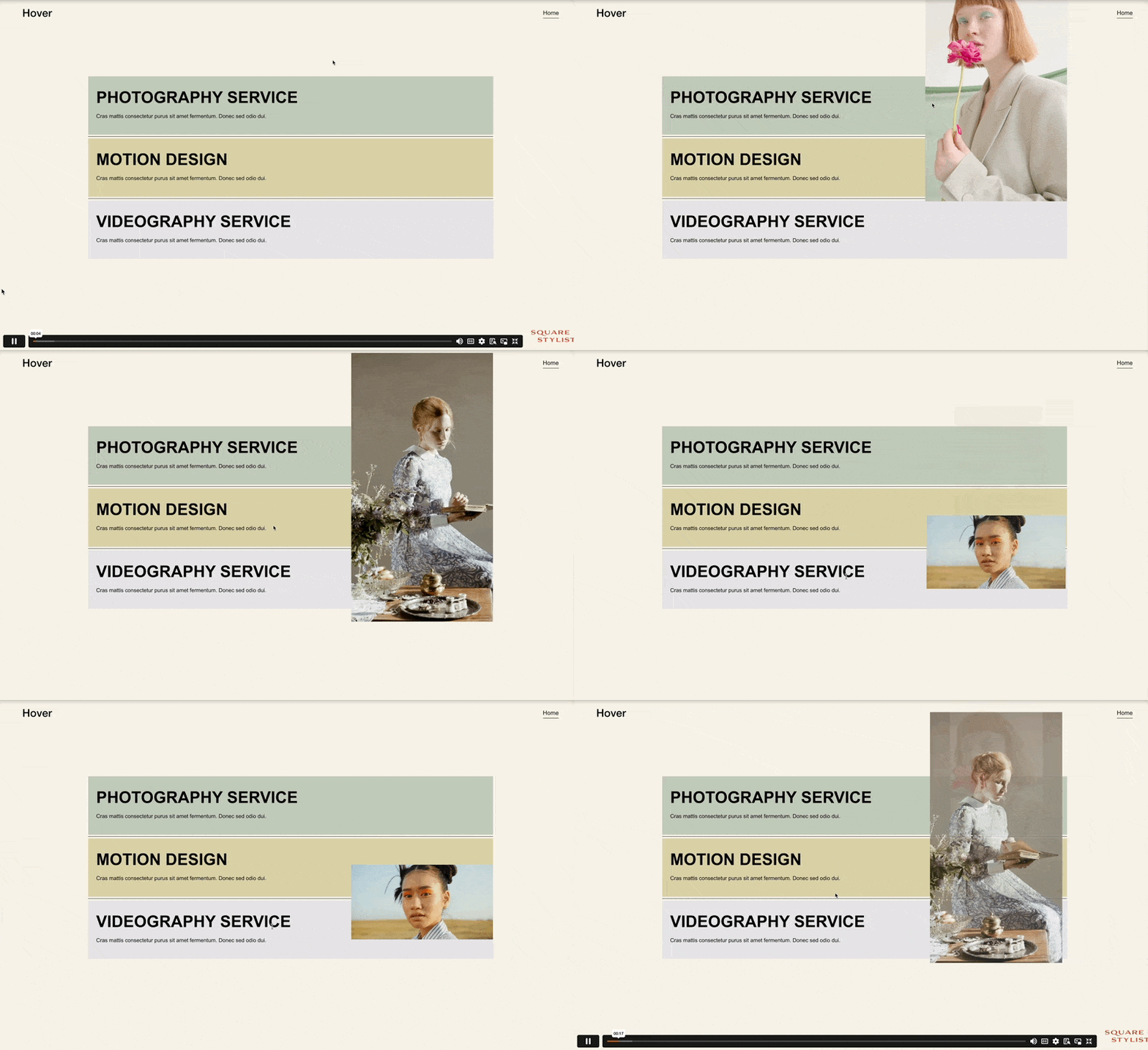
What You'll Create
Video blocks in Squarespace that remain hidden until users hover over associated text, then smoothly scale up and fade into view. This creates a cinematic reveal effect where your typography commands attention first, and motion content appears as a reward for engagement. The video emerges from a hidden state with smooth transitions.
The Problem It Solves
Videos are attention magnets—they can overwhelm a layout before users even read your message. This technique inverts the hierarchy: text leads, video follows. It's perfect for portfolios where you want visitors to engage with project names or descriptions before seeing the work, building anticipation rather than giving everything away immediately.
Perfect For
Portfolio pages with showreel previews, product demonstration reveals, creative agency hero sections with motion content, event or wedding videographer showcases, behind-the-scenes content teasers, any page where video should support, not dominate.
What Makes This Different
Handles the unique challenges of video blocks—aspect ratio preservation, autoplay considerations, and the heavier visual weight of motion. The styling includes specific adjustments for Squarespace's video block structure, ensuring the reveal animation doesn't break the video's proportions. Text styling customizations let you design the hover trigger typography, and responsive handling ensures appropriate behavior on touch devices.
Details
Section Type: Fluid Engine
Code Type: CSS
Prerequisites: Video Block positioned in section. Text elements as hover triggers. Section ID for CSS targeting.
Toolkit Title: Video Reveal on Text Hover
Learn This Technique
This is one of 150+ code techniques taught inside Standout Squarespace, where you get:
The complete, copy-paste code
Video walkthrough explaining how it works
The principles behind the technique so you can customize it
Access to our private community for support