

Styled Navigation Text
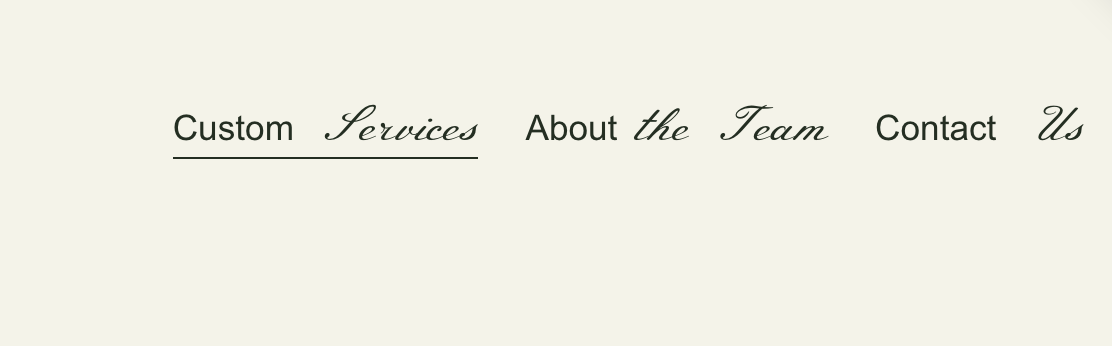
What You'll Create
Multi-styled navigation text where different parts of a single nav link appear in different colors, fonts, or styles. Split your navigation labels into distinct visual segments without creating separate menu items.
The Problem It Solves
Squarespace styles all navigation text uniformly. When you want part of a nav link in one color and another part in a different color or font, there's no native option. This technique lets you create visually distinctive navigation with styled segments.
Perfect For
Branded navigation, Two-tone text effects, Accent highlighting, Creative headers, Playful designs
What Makes This Different
This technique uses a pipe character (|) as a delimiter in your navigation titles. JavaScript splits the text and wraps segments in separate spans, which you can then style independently with CSS. Simple setup with powerful visual results.
Details
Section Type: Fluid & Classic
Code Type: CSS + JavaScript
Prerequisites: Navigation links with pipe characters in titles
Toolkit Title: Styled Nav Text
Learn This Technique
This is one of 150+ code techniques taught inside Standout Squarespace, where you get:
The complete, copy-paste code
Video walkthrough explaining how it works
The principles behind the technique so you can customize it
Access to our private community for support