

Timeline with Summary Blocks
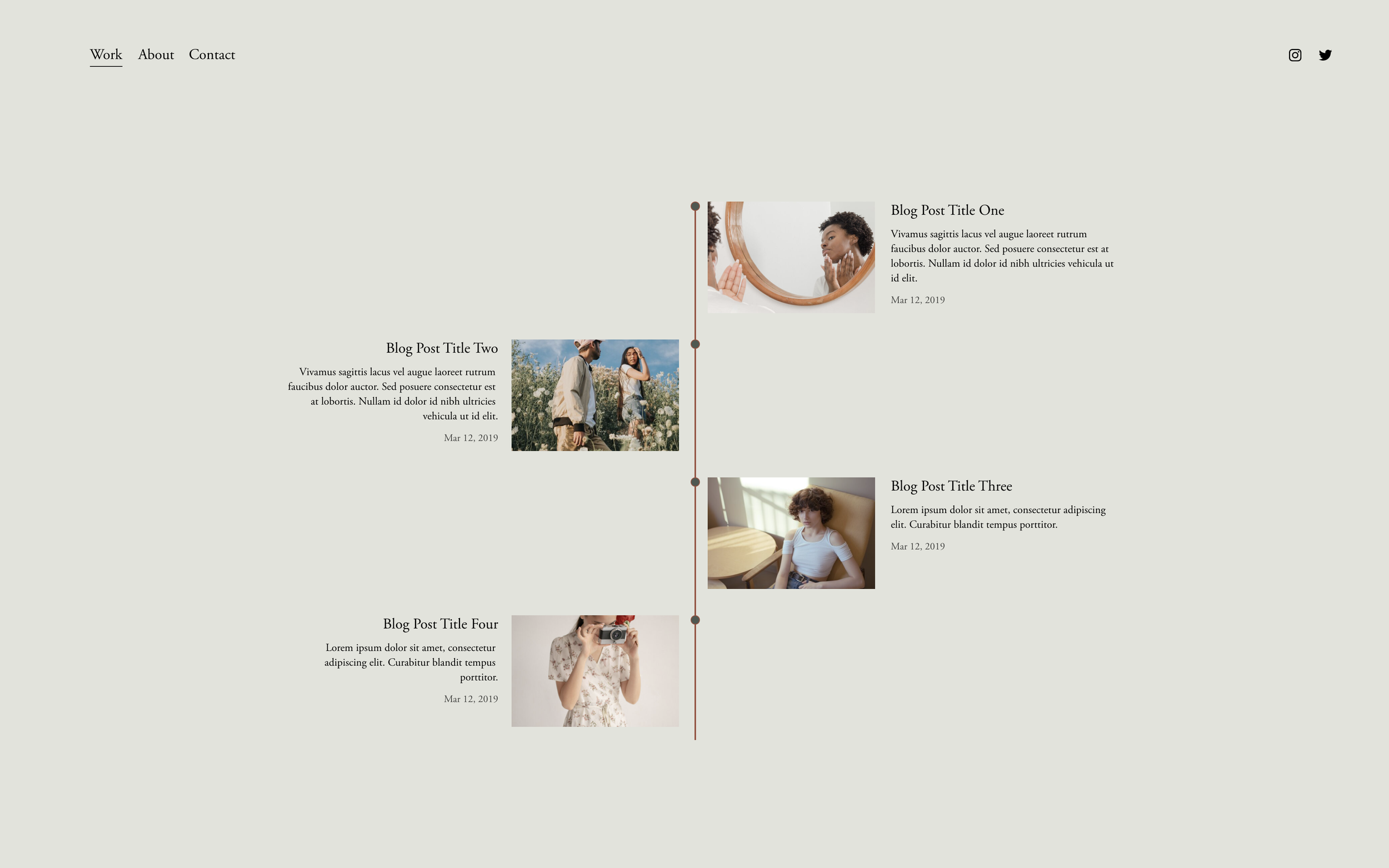
What You'll Create
A polished vertical timeline with connecting lines between entries and circular milestone markers. Each timeline entry pulls dynamically from your blog posts or events, keeping your timeline always up-to-date.
The Problem It Solves
Creating timelines in Squarespace typically requires manual HTML or third-party embeds. Summary Blocks display content nicely but don't have timeline styling. This technique bridges that gap—dynamic content with timeline visuals.
Perfect For
Company history pages, Project milestone tracking, Process and workflow steps, Career and resume timelines, Event schedules and itineraries
What Makes This Different
This approach uses your existing blog posts or events as timeline entries, so adding new milestones is as simple as publishing a new post. The connecting lines and markers are created automatically without touching any code blocks—pure visual styling applied to native Summary Blocks.
Details
Section Type: Fluid & Classic
Code Type: CSS
Prerequisites: Summary Block with list or carousel layout
Toolkit Title: Summary Block Timelines
Learn This Technique
This is one of 150+ code techniques taught inside Standout Squarespace, where you get:
The complete, copy-paste code
Video walkthrough explaining how it works
The principles behind the technique so you can customize it
Access to our private community for support