

Universal Filter Plugin Guide
What You'll Create
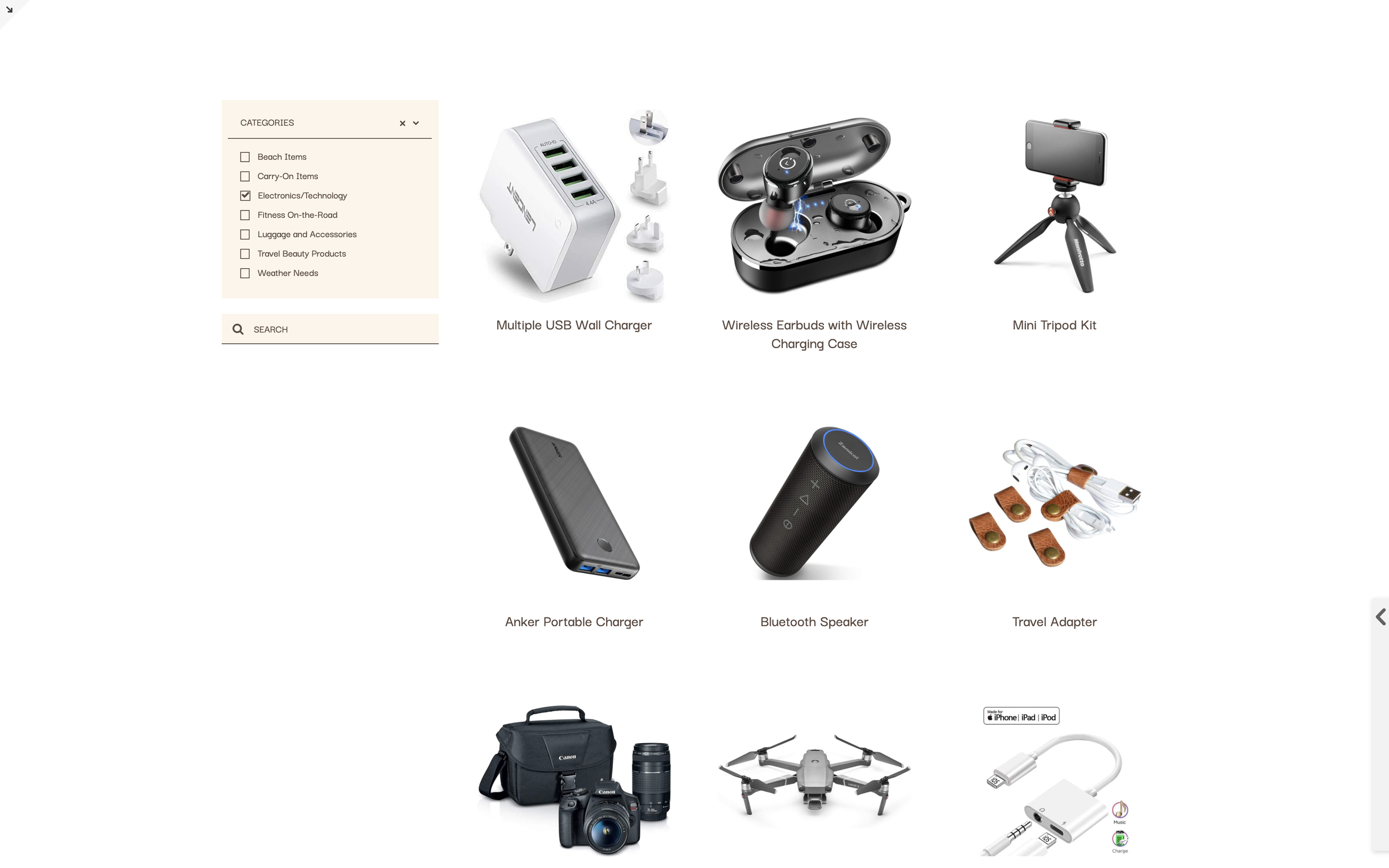
Advanced filtering interface with multiple filter criteria, search functionality, and sorting options for Summary Blocks and Blog lists. Filter by categories, tags, or custom attributes simultaneously.
The Problem It Solves
Squarespace's native filtering is limited to single categories. When you need multi-criteria filtering (like filtering recipes by both cuisine type and dietary restrictions), there's no built-in solution. This plugin adds enterprise-level filtering to your content.
Perfect For
Resource libraries, Course directories, Recipe databases, Member directories, Product catalogs with multiple filter criteria, Event listings.
What Makes This Different
The Universal Filter plugin provides a complete filtering solution with dropdowns, checkboxes, search, and sort options. Filters can be positioned in sidebars or above content. Results animate smoothly with configurable transition effects.
Details
Section Type: Fluid & Classic
Code Type: CSS + JavaScript
Prerequisites: Universal Filter plugin license; Summary Block or Blog collection
Toolkit Title: Universal Filter Guide
Learn This Technique
This is one of 150+ code techniques taught inside Standout Squarespace, where you get:
The complete, copy-paste code
Video walkthrough explaining how it works
The principles behind the technique so you can customize it
Access to our private community for support