

Exposed Mobile Navigation
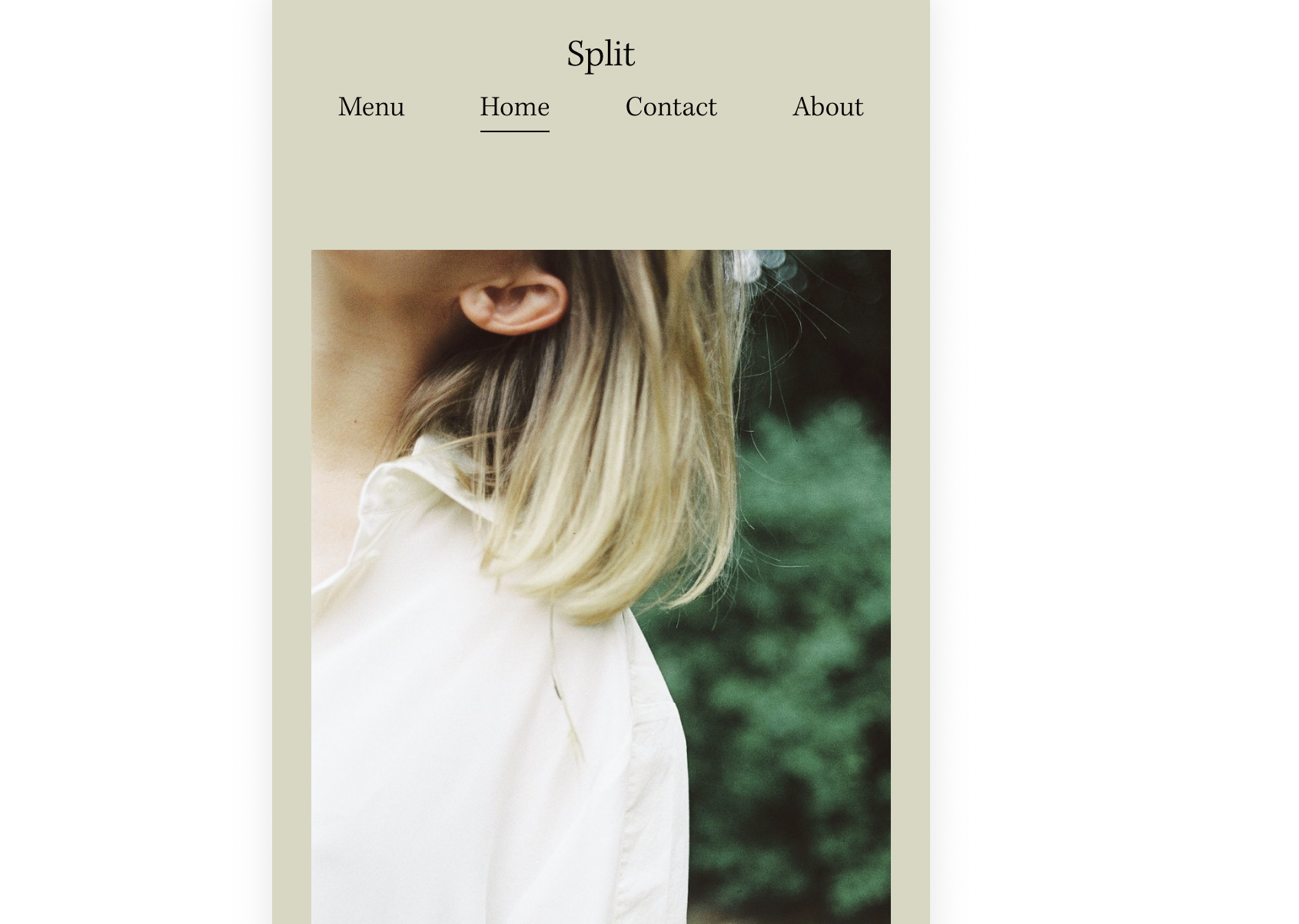
What You'll Create
A mobile navigation that shows full desktop-style links instead of the hamburger menu. Navigation items display evenly across the mobile header with smooth transitions when scrolling.
The Problem It Solves
Squarespace automatically switches to a hamburger menu on mobile, hiding your main navigation. When you want visitors to see all navigation options immediately without tapping a menu button, you need CSS to expose the desktop navigation on mobile.
Perfect For
Simple navigation sites, One-page sites, Sites with few menu items, Mobile-first designs, Quick-access navigation
What Makes This Different
This technique hides the mobile header display and shows the desktop navigation with flexbox layout. Includes scroll-based shrinking animation where the logo minimizes as you scroll down. Uses pointer:coarse media query for touch device detection.
Details
Section Type: Fluid & Classic
Code Type: CSS
Prerequisites: Limited number of navigation items
Toolkit Title: Exposed navigation on mobile
Learn This Technique
This is one of 150+ code techniques taught inside Standout Squarespace, where you get:
The complete, copy-paste code
Video walkthrough explaining how it works
The principles behind the technique so you can customize it
Access to our private community for support