

Lined List with Connecting Horizontal Rules
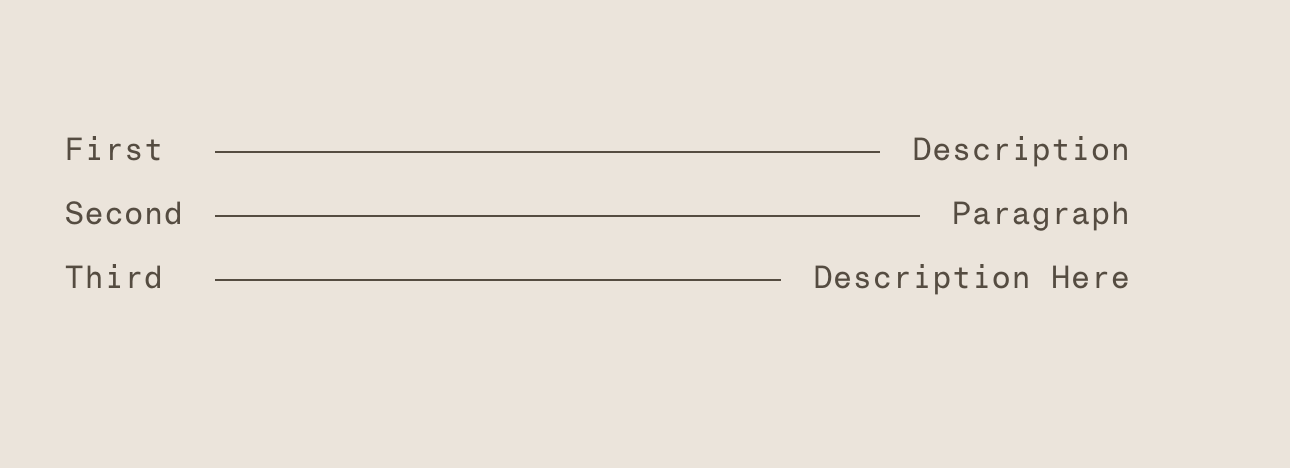
What You'll Create
A styled list layout in Squarespace where items display with horizontal lines connecting the title to the description, creating a menu or index-style presentation. Bold titles connect to italicized descriptions with lines that automatically fill the available space.
The Problem It Solves
Creating those classic "dotted leader" or line-separated layouts (like restaurant menus or table of contents) is tricky in Squarespace. You can't just add periods or dashes—spacing would be inconsistent. This technique uses CSS to draw a line that flexibly connects two text elements regardless of their length.
Perfect For
Restaurant menus with prices, table of contents layouts, event schedules with times, price lists or rate cards, index-style navigation, any paired information needing visual connection.
What Makes This Different
Uses a three-column layout where the middle column contains the connecting line. By formatting the list with bold titles and italic descriptions, the styling can target each part separately. The line automatically stretches to fill the gap, working with any text length combination.
Details
Section Type: Classic
Code Type: CSS
Prerequisites: Classic section with unordered list. Items formatted as: Title (bold) * Description (italic). Anchor ID set to
linedlist.Toolkit Title: Lined List
Learn This Technique
This is one of 150+ code techniques taught inside Standout Squarespace, where you get:
The complete, copy-paste code
Video walkthrough explaining how it works
The principles behind the technique so you can customize it
Access to our private community for support