

Follow Cursor List Section
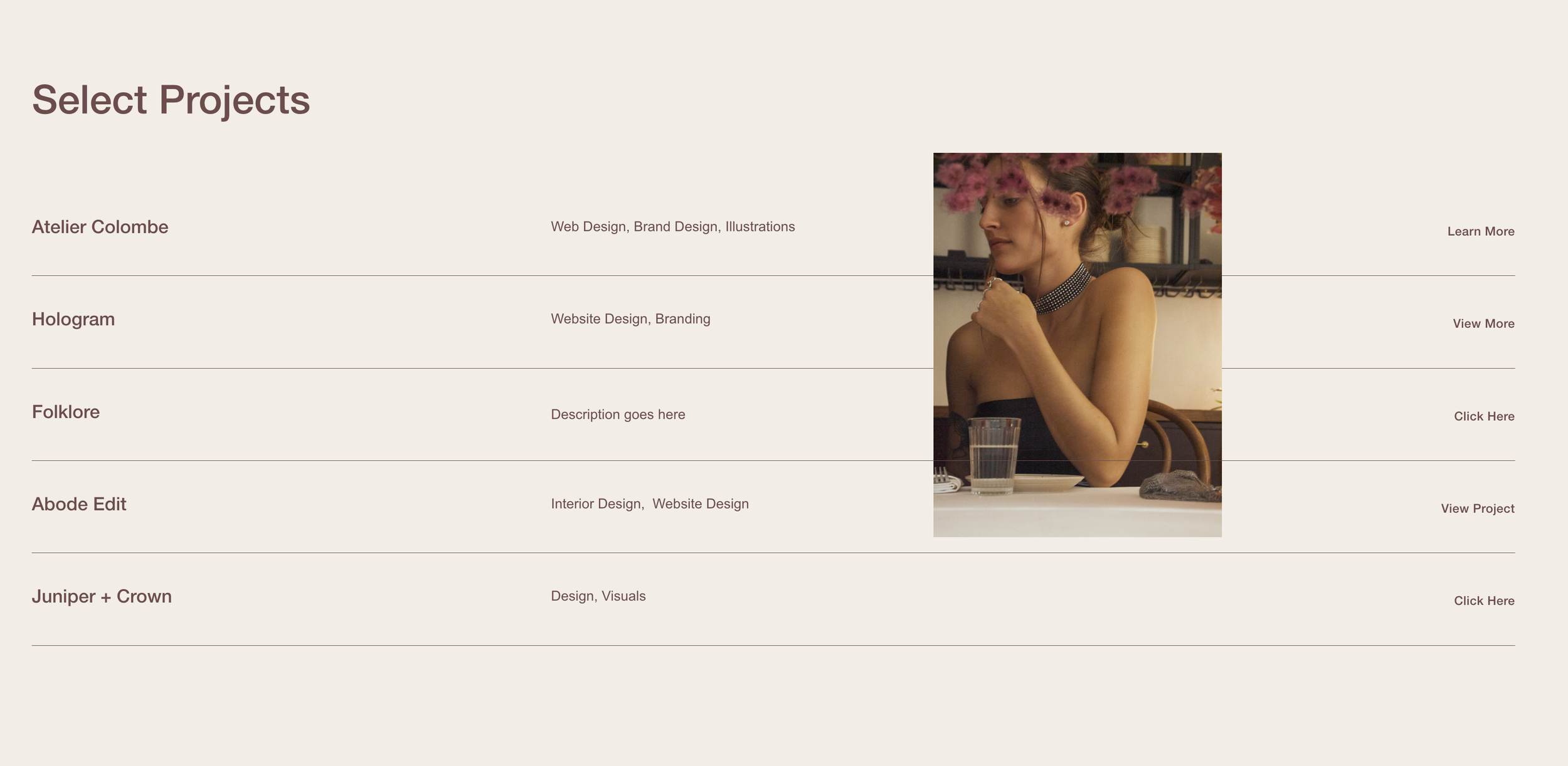
What You'll Create
A list section where images follow your cursor as you hover over each item. The list displays as text items with images that appear and track with your mouse movement, creating an engaging, interactive portfolio or service showcase.
The Problem It Solves
Standard list sections show images in fixed positions relative to text. When you want that trendy, agency-style effect where images float and follow the cursor, you need JavaScript to track mouse position and CSS to position the images correctly.
Perfect For
Agency portfolio lists, Service showcases, Project indexes, Team directories, Interactive menus.
What Makes This Different
The images are positioned using CSS fixed positioning, with JavaScript updating their coordinates based on cursor movement. The effect is smooth with a slight offset on alternating items for visual interest. Images only appear on hover and disappear when you move to the next item. On mobile, images are hidden entirely for a clean text-only experience.
Details
Section Type: Fluid & Classic
Code Type: CSS + JavaScript
Prerequisites: List Section set to Simple Design, Max columns 1, Zero spacing between items, Anchor ID #followcursor
Toolkit Title: Follow Hover List Section
Learn This Technique
This is one of 150+ code techniques taught inside Standout Squarespace, where you get:
The complete, copy-paste code
Video walkthrough explaining how it works
The principles behind the technique so you can customize it
Access to our private community for support