

Grid Columns with Line Dividers
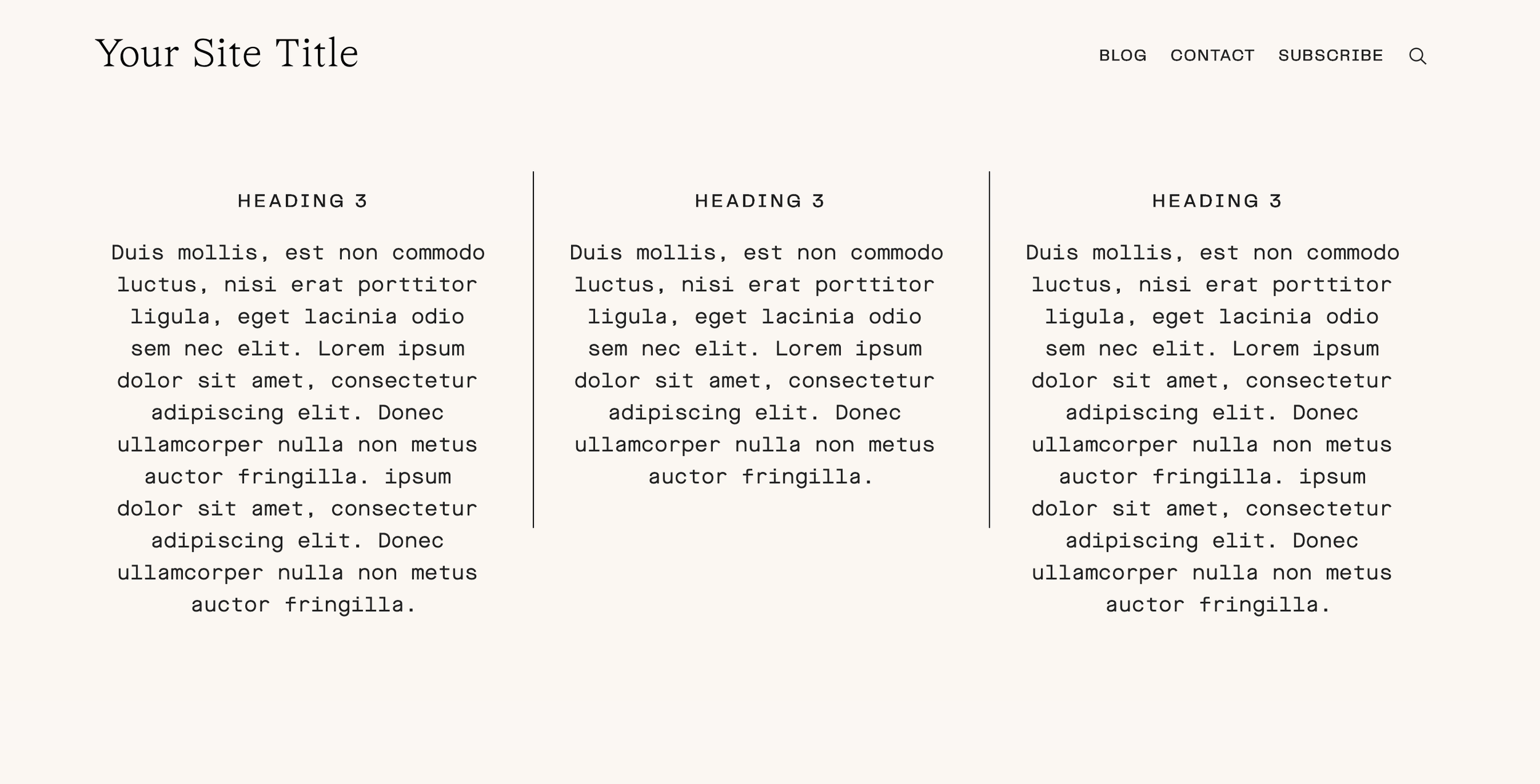
What You'll Create
Grid layouts with clean line separators between columns, creating a structured, editorial look. Vertical lines divide content columns while maintaining a polished, organized appearance.
The Problem It Solves
Squarespace doesn't offer built-in column dividers. When you want that classic newspaper or editorial look with lines between columns, you need custom CSS. This technique adds borders between grid columns cleanly.
Perfect For
Editorial layouts, Newspaper-style content, Feature comparisons, Service columns, Pricing tables
What Makes This Different
This technique uses CSS borders applied to specific columns using nth-child selectors. The lines appear only between columns, not on the outer edges. Responsive-ready with media queries for different screen sizes.
Details
Skill Level: Beginner-Friendly
Squarespace Version: 7.0 & 7.1
Section Type: Fluid & Classic
Code Type: CSS
Prerequisites: Multi-column section layout
Toolkit Title: Grids with Lines
Learn This Technique
This is one of 150+ code techniques taught inside Standout Squarespace, where you get:
The complete, copy-paste code
Video walkthrough explaining how it works
The principles behind the technique so you can customize it
Access to our private community for support