

Font Sampler
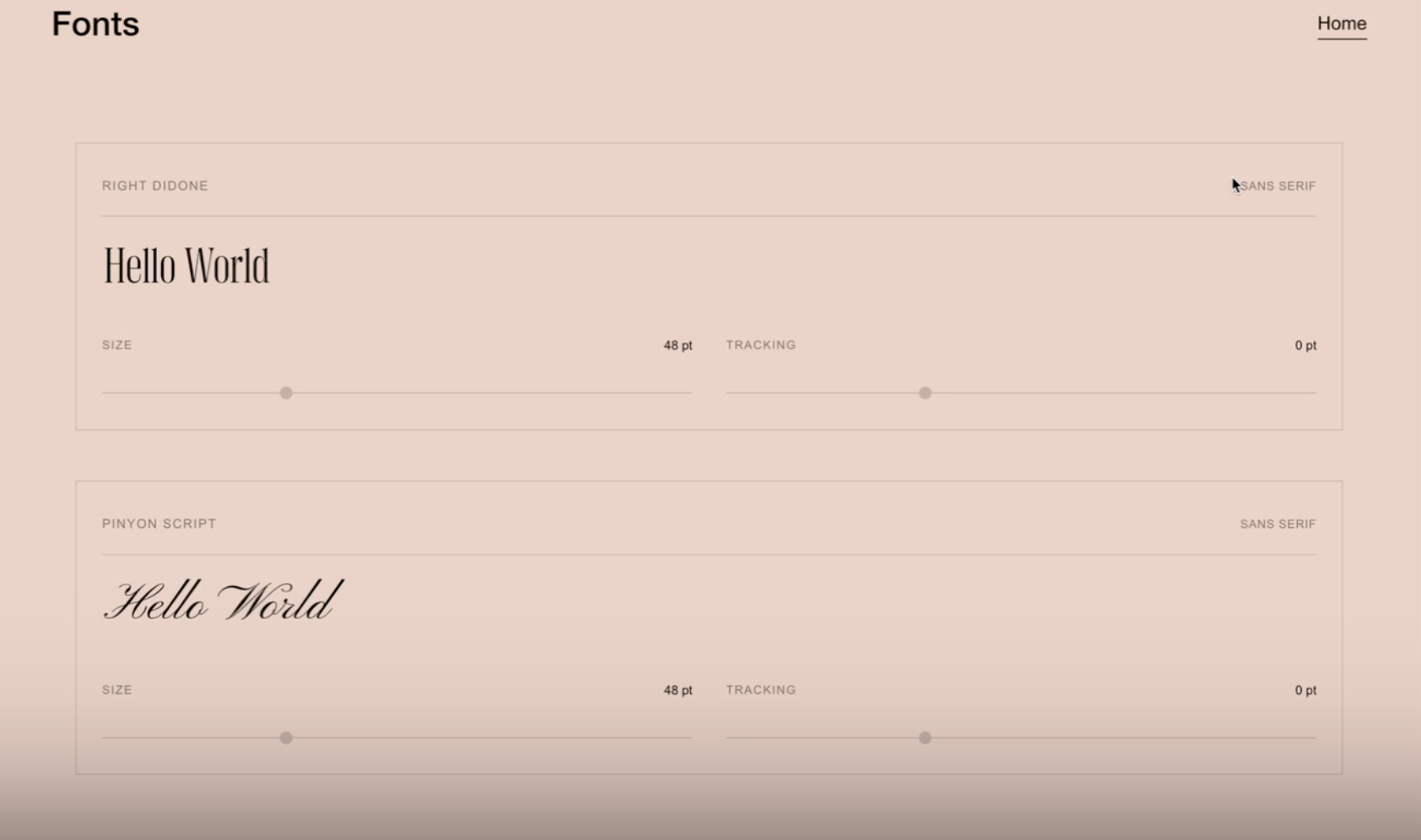
What You'll Create
Add an interactive font sampling tool to your Squarespace site where visitors can type live preview text, adjust font size with a slider (16–120pt), and fine-tune letter spacing (-10 to +20pt) — all in real time. Each font card displays the font name, category label, and a clean minimal interface with labeled controls. Custom font files can be loaded from any URL.
The Problem It Solves
Squarespace has no native way to let visitors interact with fonts. If you're a font designer, typographer, or branding studio, there's no built-in tool for clients to test-drive typefaces before purchasing or approving them. Third-party font preview widgets are generic, often slow, and don't match your site's design. This technique creates a fully styled, on-brand font sampler that lives natively in your Squarespace page.
Perfect For
Font foundry product pages, Branding portfolio showcases, Typography comparison tools, Client font approval presentations, Design studio service pages
What Makes This Different
Each font card is self-contained and configured entirely through simple data attributes on a single div — font name, file URL, category, and sample text are all set without any code editing required after initial setup. The script automatically loads custom font files in the background and applies them once ready. Size and letter spacing sliders update the preview instantly, and the text area grows as you type. The interface works with keyboard navigation and has proper labels throughout. It also adapts to content changes on the page automatically, so new font cards are picked up without a refresh. On mobile, the preview text drops to 32px and the controls stack vertically for a clean experience on smaller screens.
Details
Section Type: Fluid Engine
Code Type: CSS + JavaScript
Prerequisites: Code Block with a div using the class
font-cardand data attributes forfont-name,font-file(optional),font-category, andsample-text. JavaScript and CSS in footer code injection.Toolkit Title: Font Sampler
Learn This Technique
This is one of 150+ code techniques taught inside Standout Squarespace, where you get:
The complete, copy-paste code
Video walkthrough explaining how it works
The principles behind the technique so you can customize it
Access to our private community for support